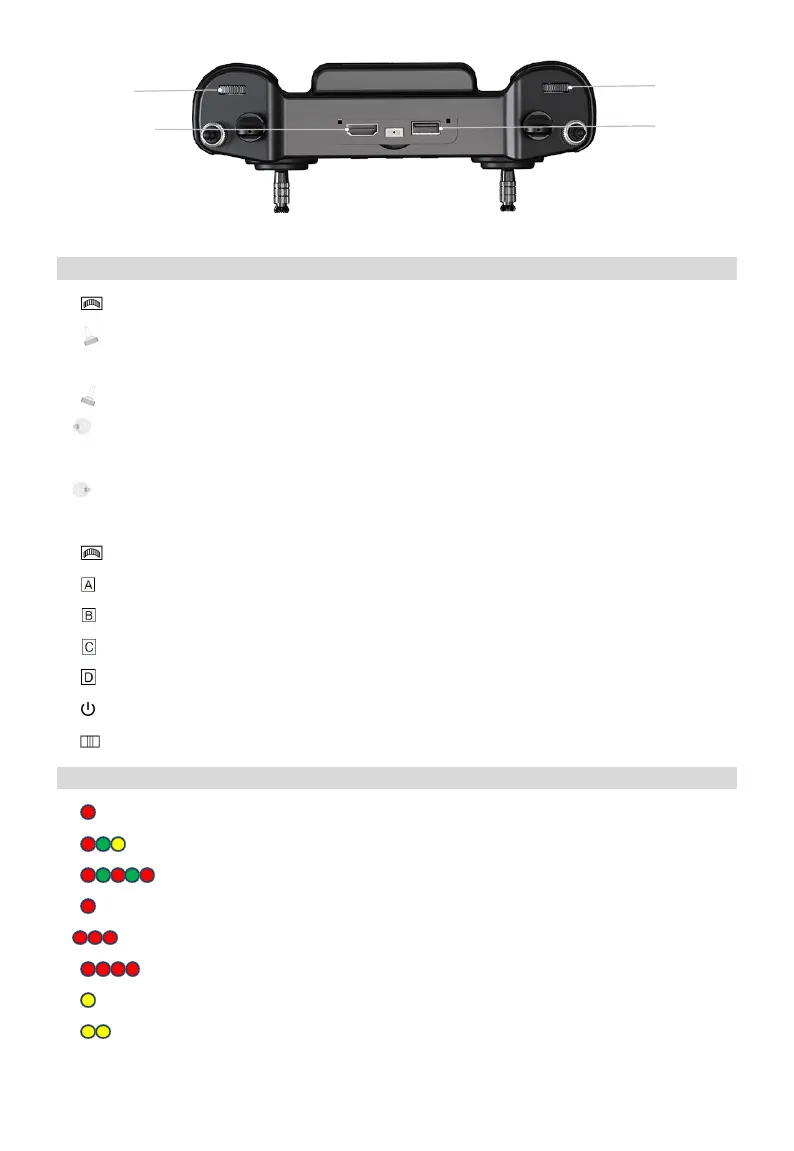
Function Introduction
① Left Dial: Undefined, can be customized.
② Top Left Lever: The flight mode switch of controlling aircraft (Attitude mode, Manual mode,
Work mode).
③ Top Right Lever : In the AB mode, dot A point in the middle and turn up to dot B.
④ Left control stick : In American hand mode,Up is fly-up, Down is landing, Left is rotation to
the left, Right is rotation to the right.
⑤ Right control stick : Up is going forward, Down is flying back, Left is left translation, Right is
right translation
⑥ Right Dial: Undefined, can be customized.
⑦ Button: Control the night vision lights of aircraft.
⑧ Button: Turn on/off the obstacle avoidance radar.
⑨ Button: Turn on/off the water pump.
⑩ Button: Turn on/off the centrifugal nozzle.
⑪ Button: Turns on/off the power of the remote control.
⑫ Slide Button: Undefined, can be customized.
Description of Status Indicator
① Flashing red light (rapid) : Linking
② Alternately flashing red, green and yellow(slow): Image transmission is starting
③ Alternately flashing red and green : Android system shuts down abnormally
④ Flashing red light(slow) : Firmware mismatch
⑤ Flashing red light three times (slow) : Initialize image transmission failed
⑥ Flashing red light four times (slow) : The remote needs to be calibrated
⑦ Flashing yellow light (slow):The remote control power supply voltage is abnormal
⑧ Flashing yellow light twice (slow):Remote control bluetooth not recognized



 To Next Page