Method 2
:
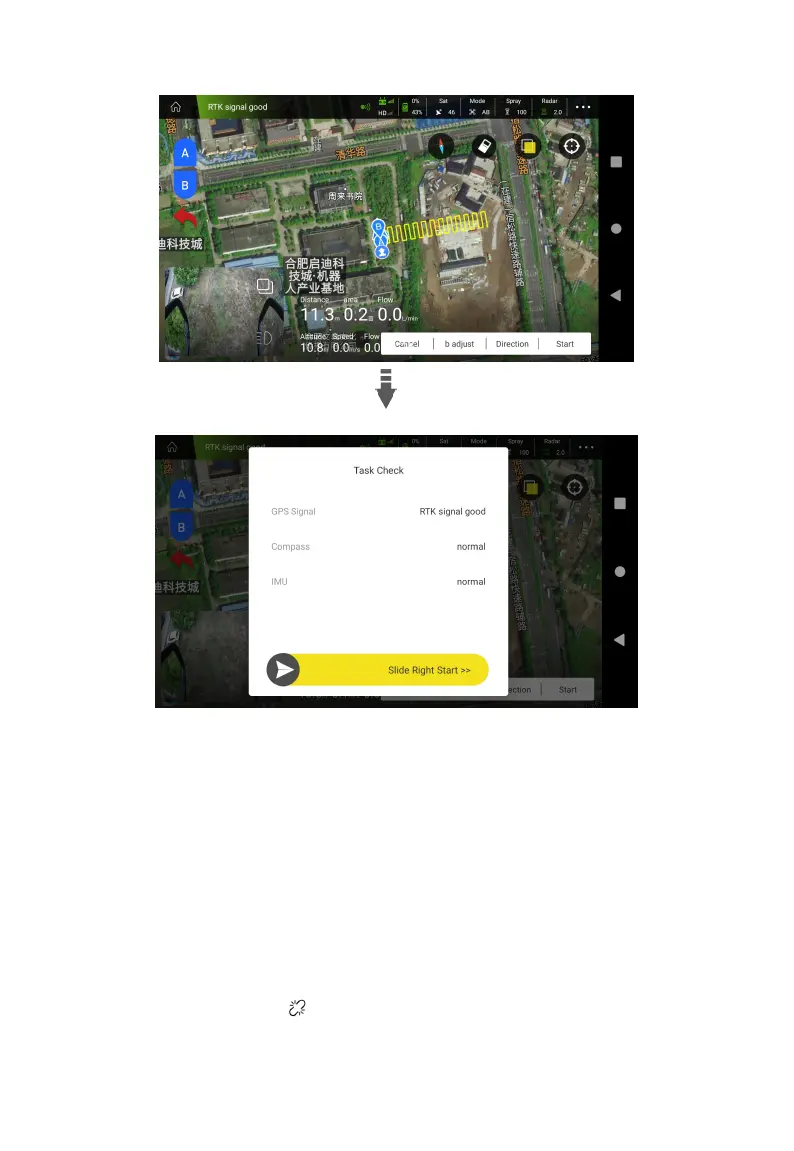
1. Fly to the field where you want to work. After the aircraft stabilizes, move the left lever on the
side close to you. Switch Attitude to Auto mode, and then fly to the A position to add point A , the
detailed flight parameters will appear on the screen. After setting the parameters, push the lever
forward, fly the aircraft to the other side to add point B.
2. After adding point A and B, fully push the right stick to the left or right, and the aircraft can
automatically identify the planned route.
Fully Auto Operation
1. Click Agri Assistant >Connect > H12/MK15 >Ground Plan > New Plot.



 To Next Page