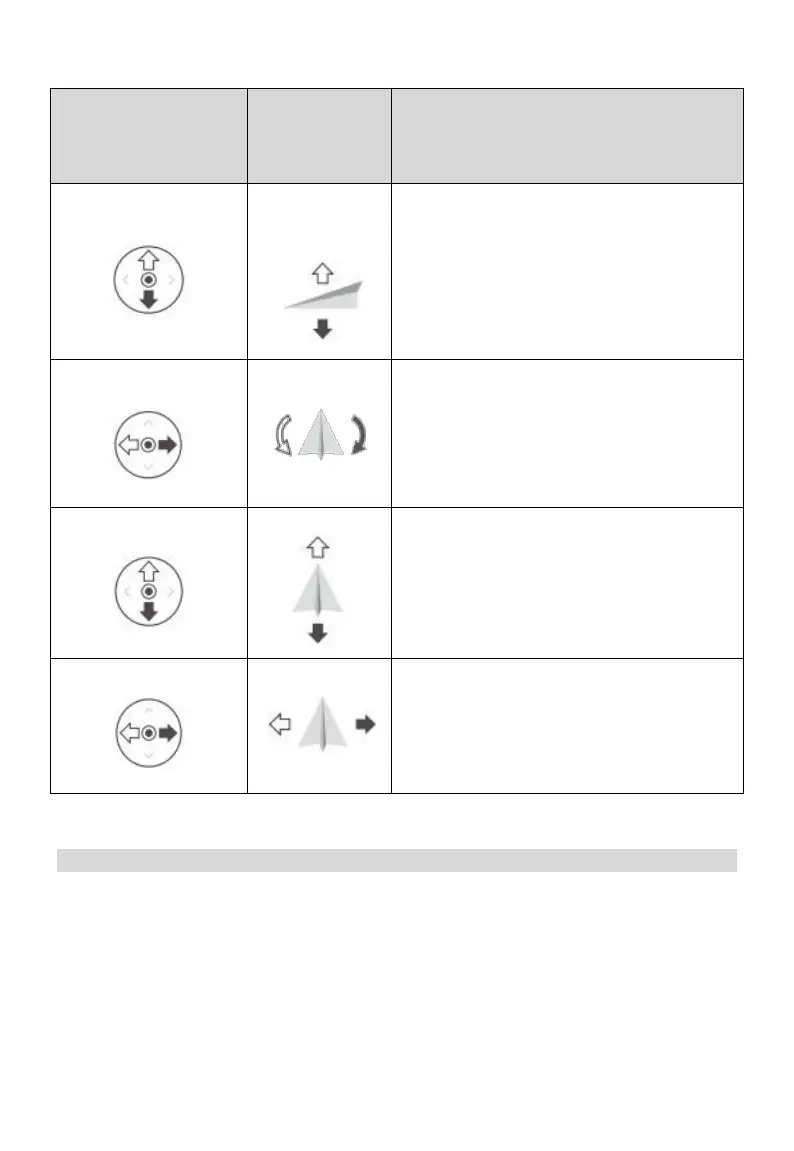
The following description of the American Hand mode
:
Aircraft
(Indicates nose
direction)
Throttle Stick: Move the left stick vertically to
control the elevation of the aircraft.
Push up to ascend and push down to
descend. Use the left stick to take off when the
motors are spinning at an idle speed. The aircraft
hovers in place if the stick is in the center position.
The further the stick is pushed away from the
center position, the faster the aircraft changes
elevation.
Yaw Stick: Move the left stick horizontally to
control the heading of the aircraft.
Push left to rotate the aircraft counterclockwise
and push right to rotate clockwise. The aircraft
hovers in place if the stick is in the center position.
The further the stick is pushed away from the
center position, the faster the aircraft rotates.
Pitch Stick: Move the right stick vertically to
control the pitch of the aircraft.
Push up to fly forwards and press down to fly
backwards. The aircraft hovers in place if the stick
is in the center position. Push the stick further for
a larger pitch angle and faster flight.
Roll Stick: Move the right control stick
horizontally to control the roll of the aircraft.
Push the stick left to fly left and right to fly
right. The aircraft hovers in place if the stick is in
the central position. Push the stick further for a
larger roll angle and faster flight.
Connection and Settings
Link to Aircraft
Please follow the steps below to link the aircraft and the remote control.
1. Open SIYI TX App.



 To Next Page