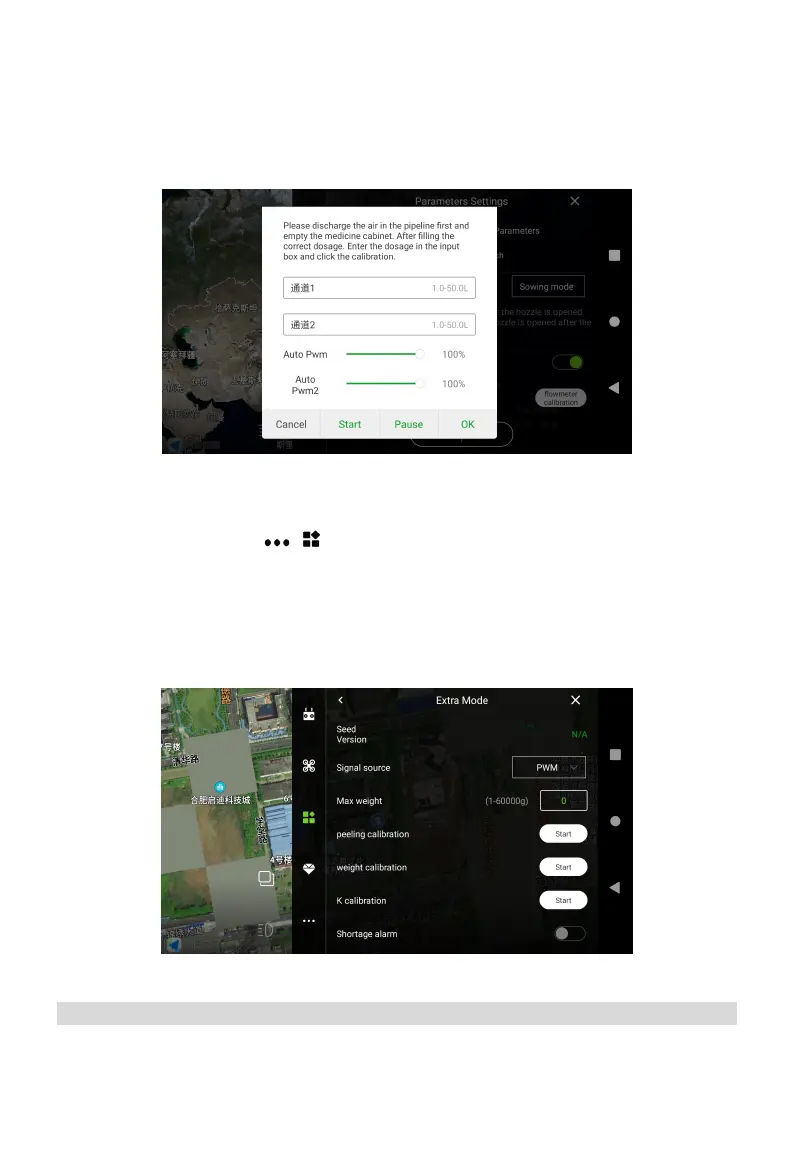
④ Click on the flow meter to calibrate, stop it before finishing the water spray;
⑤ Measure the weight of each pail one by one, subtract the net weight of the pail, and input the
amount to channel 1 and channel 2 respectively (Facing the tail, channel 1 on the left and
channel 2 on the right), then click OK.
Weight Calibration
Enter Agri Assistant > Start > > >Seed Manager > weight calibration. First, empty the tank,
and click Peeling Calibration. It is recommended to add 15L water, click Weight Calibration and
enter the known weight (1L=1000g), and then return to the operation screen to check the weight
data, if it is 15kg, the calibration is successful.
*Note: The weighing objects should ≥10kg
Parameter Settings
1. Spray



 To Next Page