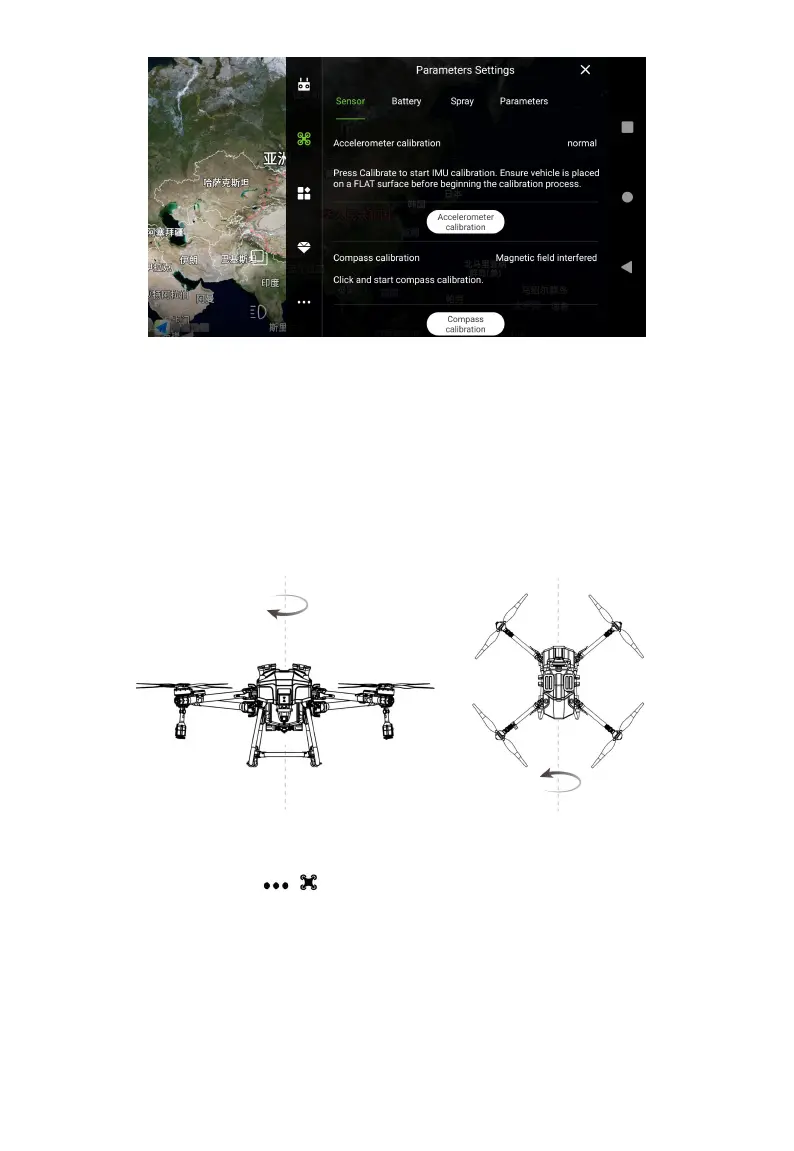
Compass calibration
Click “Compass calibration”, check the instructions on the screen, when it indicates “doing x, the
level of uniform rotation”, lift the aircraft up and rotate it horizontally until it indicates “doing z, the
nose down uniform rotation”, then press the instruction to point the drone head down and
continue to rotate until it indicates “Compass calibration normal”, then put down the aircraft.
Flowmeter calibration
Enter Agri Assistant > Start > > >Parameters Settings >Spay, slide to the bottom, click
Flowmeter Calibration and follow the steps below:
① Pour about 15L of water to tank;
② Turn on the water pump, until the water comes out ,then off the pump immediately;
③ Prepare two empty pails, weigh and record them, and place the two pails under the two
centrifugal nozzles;



 To Next Page