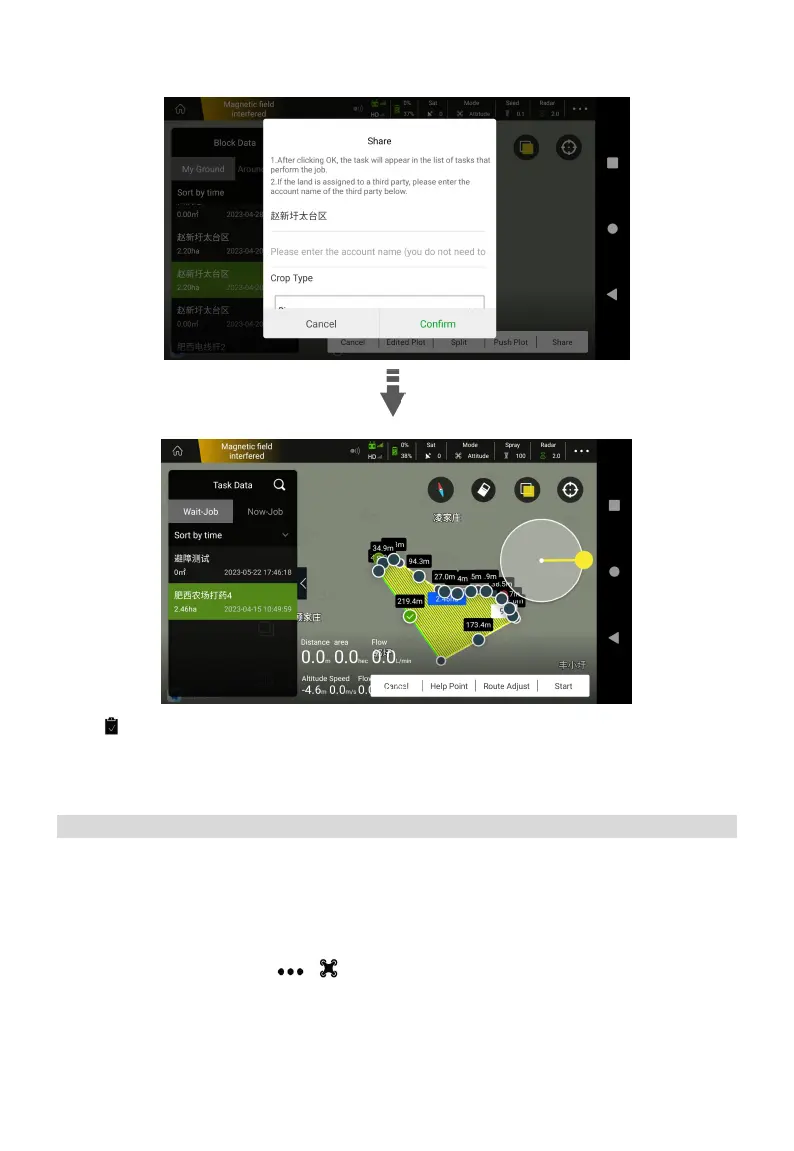
6. Tap , select the plot, adjust the route and click “Start”, then check the parameters according
to prompt. Click Confirm and Slide Right Start to take off.
Switch Spreading System
*Note: The spreading system is optional.
Please refer to the Z Series Assembly Instruction Manual for installation.
Spreading System Debugging
1. Sowing mode, click Start> > >Spray> Work Mode, switch the work mode to Sowing
mode. Press the C and D keys to test the speed of the spreader and the valve.



 To Next Page