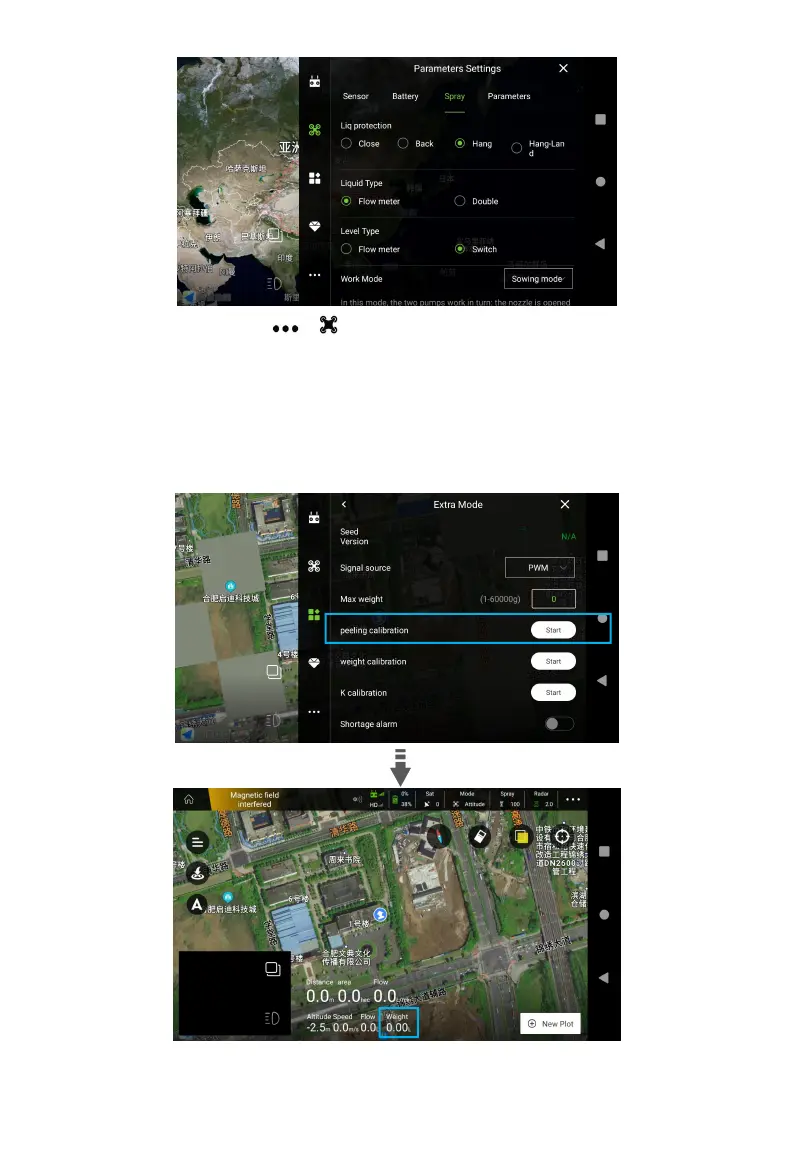
2. Weight Calibration. Click > >Seed Manager> Peeling Calibration, wait 3s, check the
display of the remote control, if weight is 0, peeling calibration is finished. Then Click “Weight
Calibration”, pour objects (over 10kg) into the tank, enter the measured weight , click “Save” and
wait 3s, check the weight display, if it is the same as the known weight (The error range is
0.02kg), calibration is done. If it fails, please re-calibrate.



 To Next Page