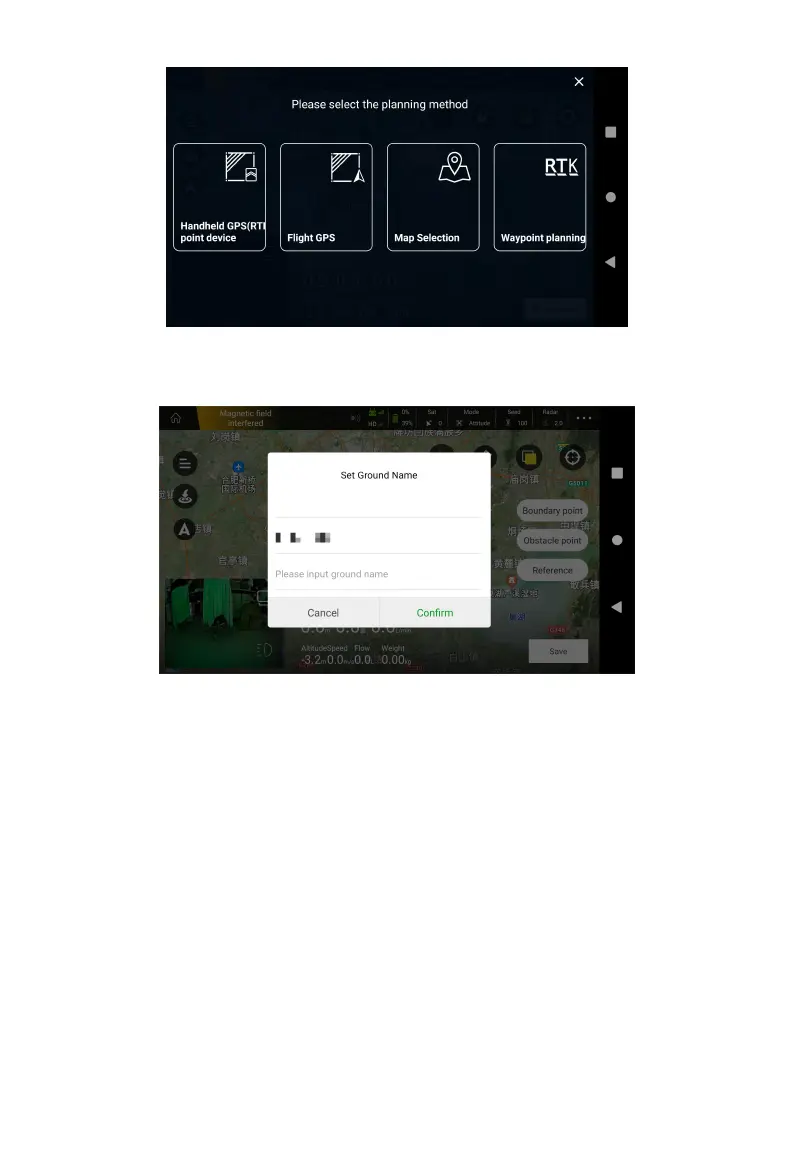
3. Set Ground Name, move the handheld point device or fly the aircraft to the field, click the
Boundary Point on the right side of screen to add dots in turn.
4. About obstacles, move handheld point device or fly the aircraft to the obstacles, click
Obstacle Point. There are two methods to mark it, Polygon barrier point and Circle obstacle area.
Note that if you select Polygon barrier point, use the Boundary Point to dot. Handheld RTK point
are recommended.



 To Next Page