1
OPERATION
Power ON/OFF
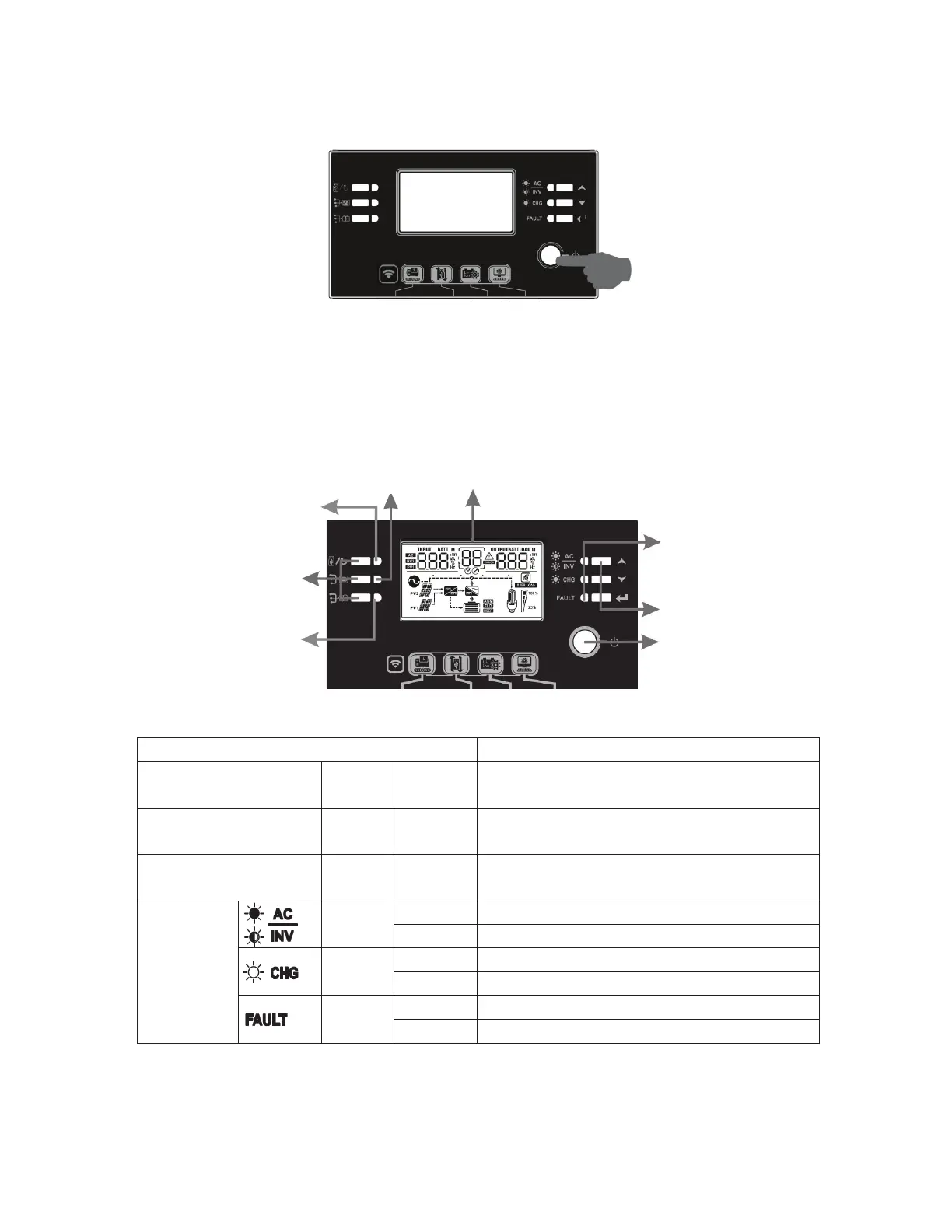
After completing installation of the unit, the next step is powering on for setup. Start by pressing the
On/Off switch (located on display unit) to power on the system.
Operation and Display Panel
Refer to the diagram and table below for details on the operation and display panel. There are three
indicators, four function keys, and an LCD display.
LCD display
LED Indicators
LED Indicator
Messages
Setting LED1 Green Solid On Reserved for future features
Setting LED2 Green Solid On Reserved for future features
Setting LED3 Green Solid On Reserved for future features
Status
Indicator
Green
Solid On Output is powered by utility in Line mode.
Flashing Output is powered by battery or PV in battery mode.
Green
Solid On Battery is fully charged
Flashing Battery is charging.
Red
Solid On Fault mode
Flashing Warning mode
Status
indicators
Function keys
On/off switch
Function keys
Setting LED 3
Setting LED 1
Setting LED 2



 To Next Page