2
BMS Communication Install – EG4-LL
1. Introduction
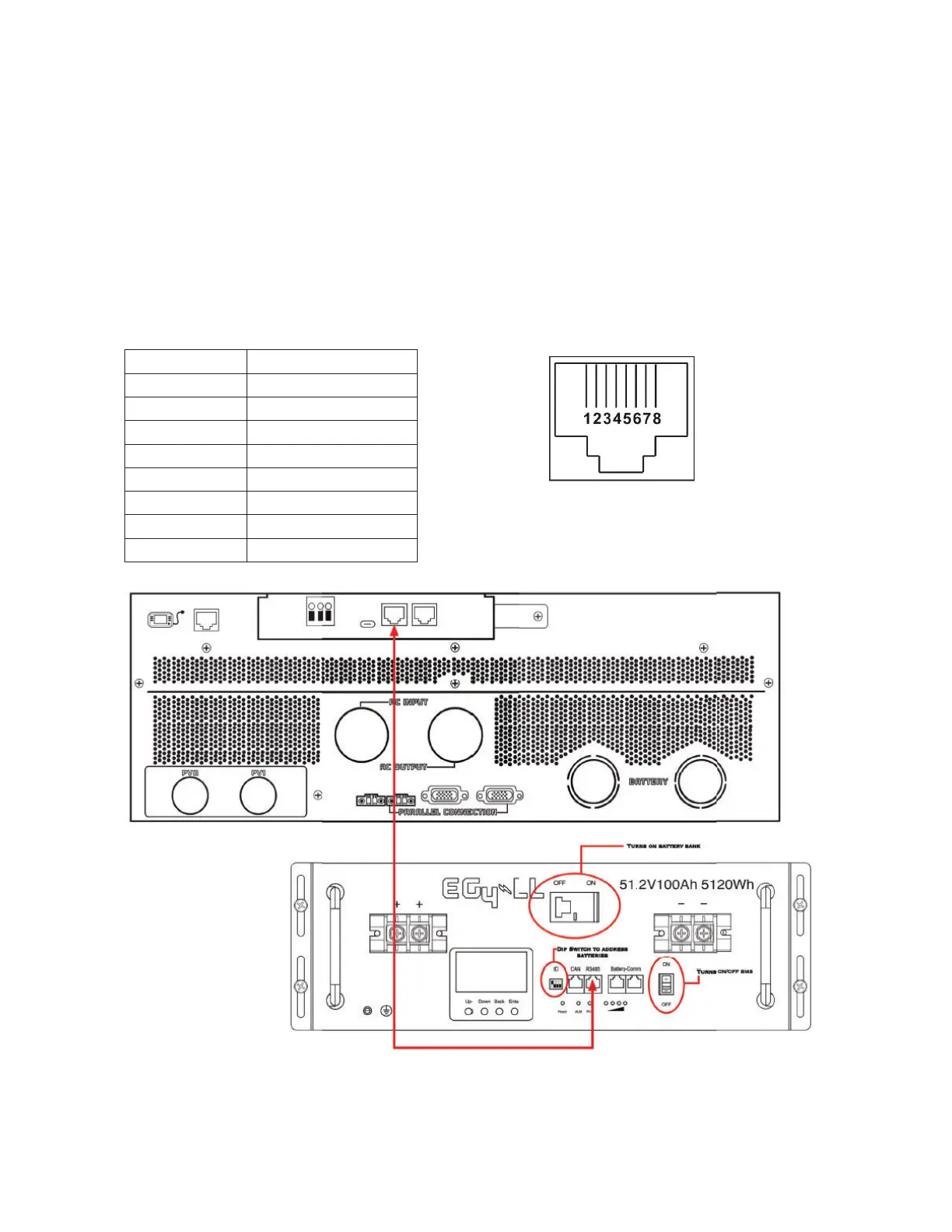
When connecting to an EG4-LL battery use the supplied RJ45 battery communication cable. Please check with
your dealer or installer for details.
This custom-made RJ45 communication cable delivers information and signal between lithium battery and the
inverter. The information is listed below:
z Re-configure charging voltage, charging current and battery discharge cut-off voltage according to the
lithium battery parameters as .
z Starting and stopping of charging is based on the batteries State Of Charge (SOC).
2. Pin Assignment for BMS Communication Port
PIN Definition
PIN 1 RS232TX
PIN 2 RS232RX
PIN 3 RS485B
PIN 4 NC
PIN 5 RS485A
PIN 6 CANH
PIN 7 CANL
PIN 8 GND



 To Next Page