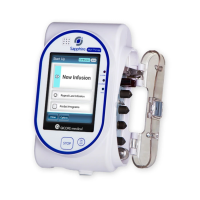
Sapphire Infusion Pump User Manual5
Power Supply.......................................................................................51
Integrated Power Supply....................................................................52
External Battery Pack..........................................................................54
Multi-Pump Mounting System ...........................................................61
Administration Sets.............................................................................66
3. FUNDAMENTAL CONCEPTS AND OPERATIONS ..............70
Working with the Main Display ..........................................................70
Using the Keypad................................................................................70
Overview of Toolbar Function Keys...................................................72
Overview of Icons................................................................................73
Selecting Delivery Mode....................................................................76
Enabling Special Features..................................................................78
Setting KVO rate .................................................................................81
4. GETTING STARTED.....................................................82
Typical Workflow ................................................................................82
Turning the Pump On.........................................................................84
Turning the Pump Off .........................................................................84
Connecting the Infusion Container to the Administration Set...........85
Opening the Safety Door...................................................................86
Inserting the Administration Cassette................................................87
Removing the Administration Cassette ............................................90
Automatic Priming Using the Pump...................................................91
Priming Manually................................................................................93
5. USING THE DELIVERY MODES .....................................96
Continuous Mode ..............................................................................96
Infusion Parameters: Continuous Mode ...........................................99
Starting a Continuous Infusion ..........................................................99
Continuous Mode: Mid-infusion Actions ........................................110
Multi-step Mode...............................................................................124



 To Next Page