- 34 -
Chapter 6
Reference
Attaching the Optional Arm (Optional Stand)
1.
Lay the LCD monitor on a soft cloth spread over on a stable surface with the panel surface facing down.
2.
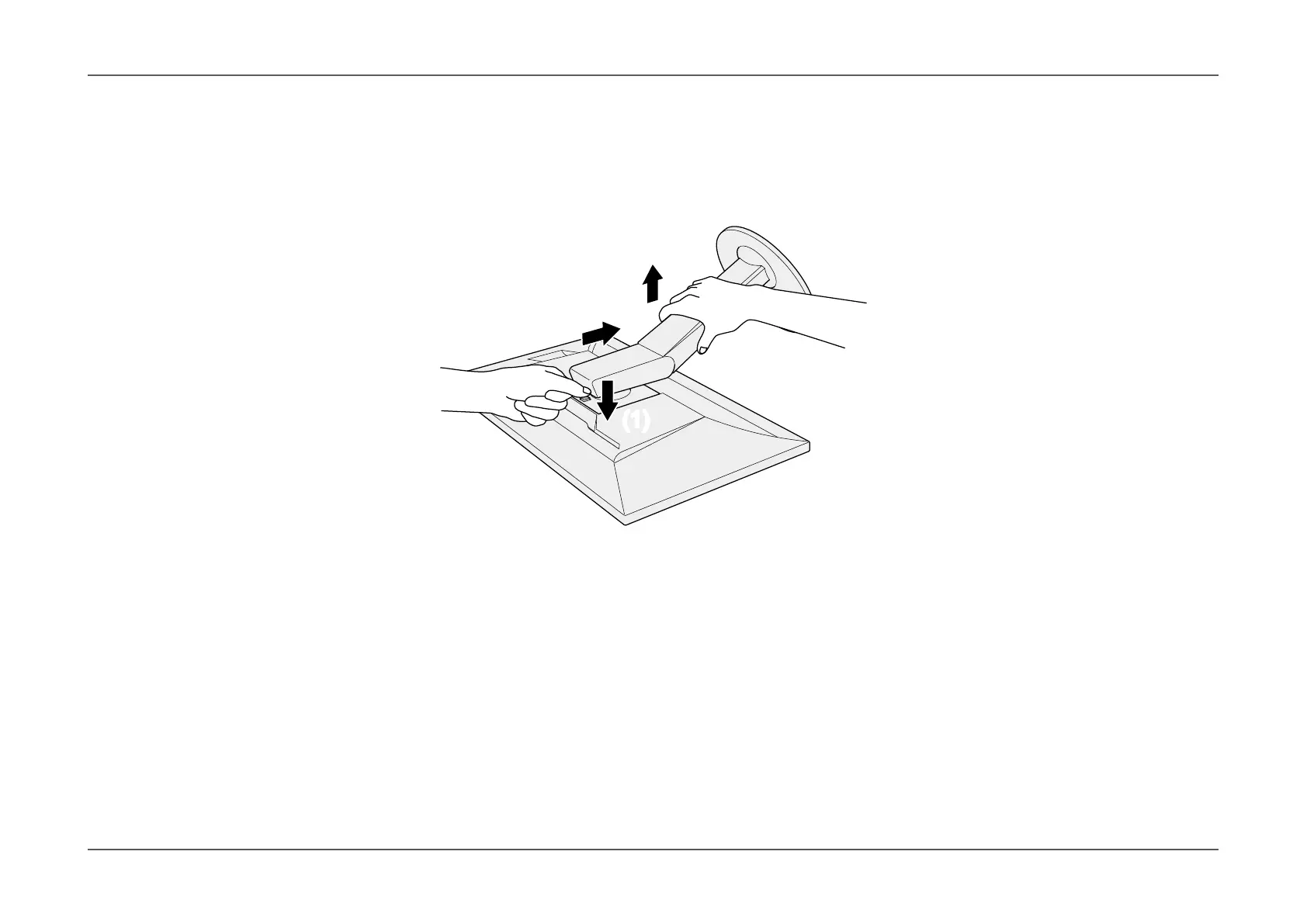
Remove the stand.
As shown below, keep the lock button pressed down (1) and slide the stand towards the stand base until it stops (2). Then, lift the stand up (3).
(3)
(2)
(1)(1)
3.
Attach the arm or stand to the monitor.
Use the optional VESA mount screws when attaching the arm or stand.









 To Next Page