7-3. Attaching the original stand
1.
Lay the LCD monitor on a cushion or a soft cloth spread over a stable and at
surface with the LCD panel surface facing down.
Attention
• The LCD panel is curved and may be damaged if placed on a hard surface.
2.
Remove the xing screws on the optional arm (or optional stand), and detach
the optional arm (or optional stand).
3.
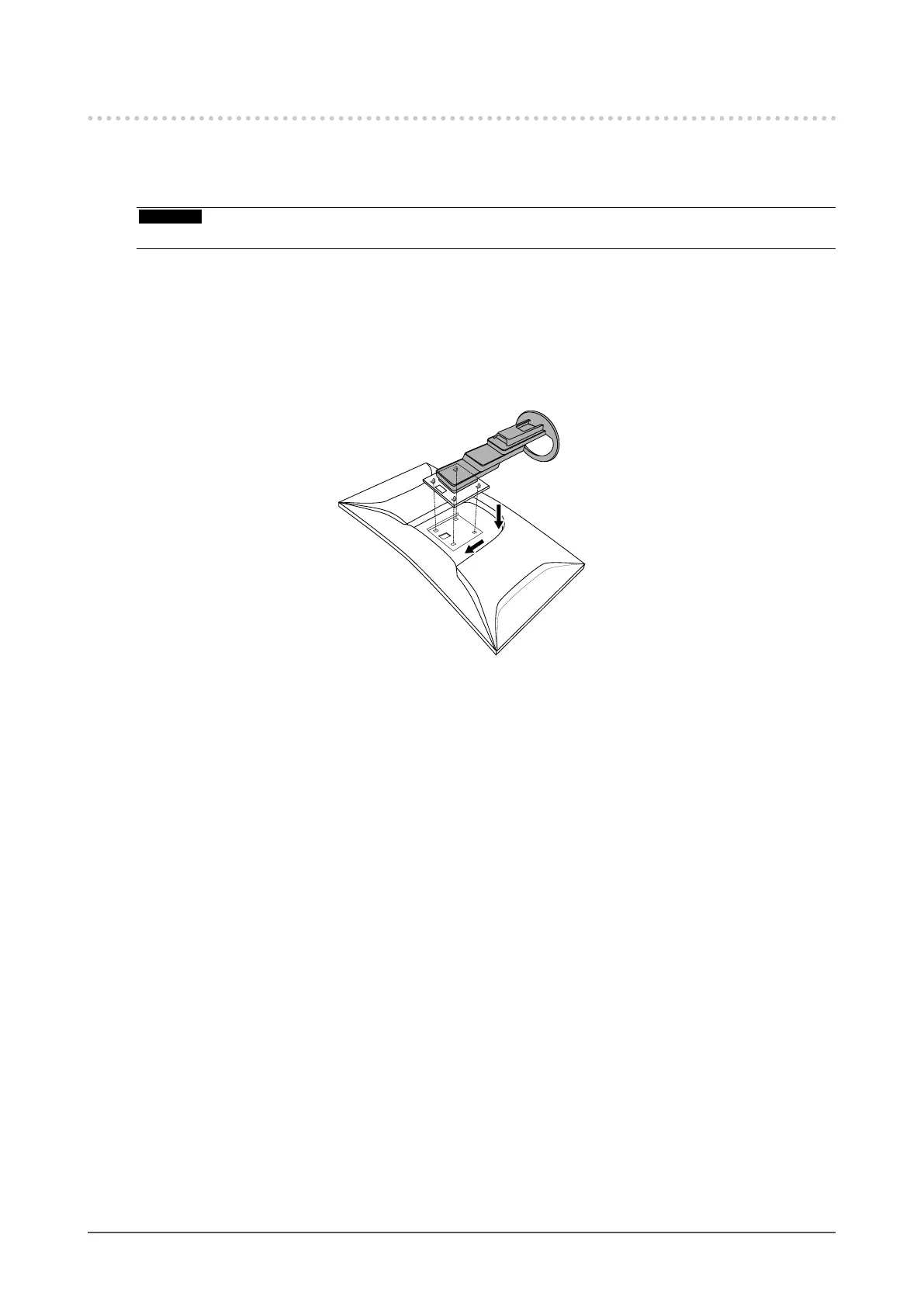
Attach the original stand.
Insert the four tabs on the stand into the four holes on the back panel (1), and slide the stand towards
the upper portion of the monitor (2). The stand clicks when it is attached correctly.
Click!
(1)
(2)
43
Chapter 7 Attaching/Removing the Stand












 To Next Page