●
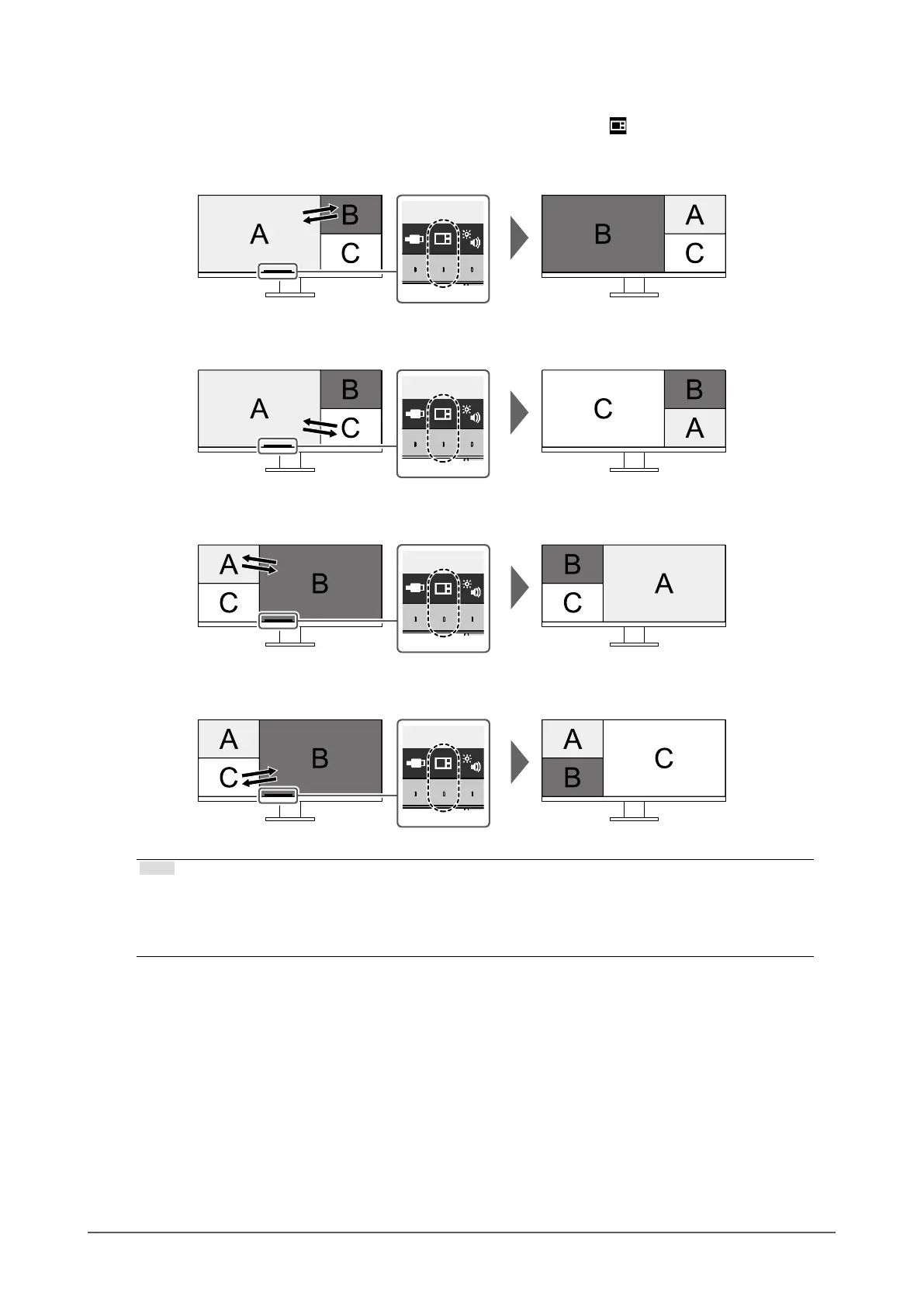
Swapping the Main Window of Three Window Display
When using three window PbyP display, select the operation switch ( ) on the front of the monitor to
swap the main window.
• When “Upper Right” is selected for “Main Window Swap”
• When “Lower Right” is selected for “Main Window Swap”
• When “Upper Left” is selected for “Main Window Swap”
• When “Lower Left” is selected for “Main Window Swap”
Note
• When USB-C connection and USB-B connection are used together, swapping the main window
temporarily disconnects the USB signal. If there is a storage device such as USB memory connected to
the monitor, swap the window only after you have removed the storage device. The wired LAN used via
USB-C connection is also temporarily disconnected (page 44).
30
Chapter 4 Connecting Multiple PCs











 To Next Page