32
Chapter 3 Settings and Adjustments
●
To set the I/P conversion's processing methods
[I/P Conversion]
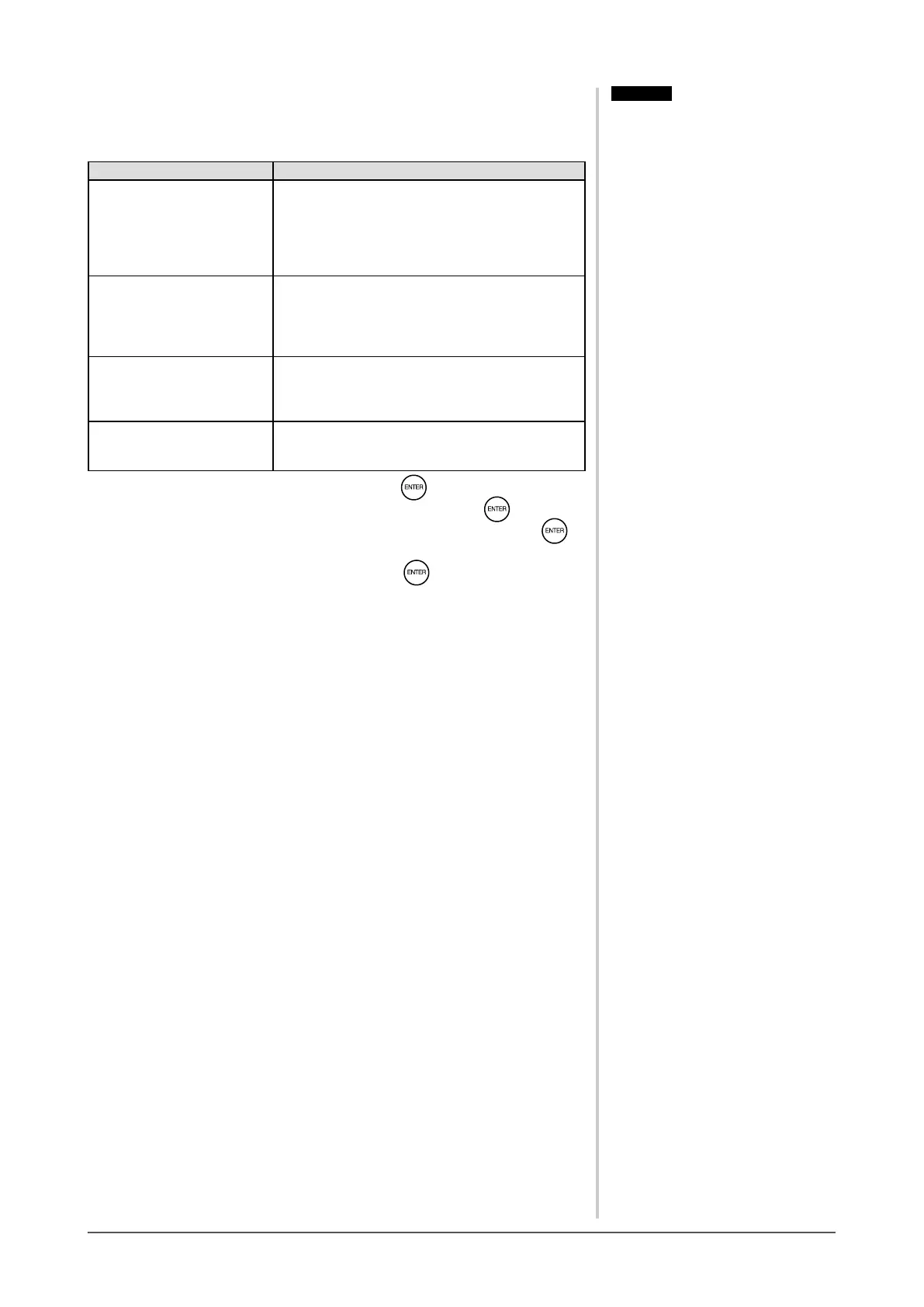
The I/P (Interlace progressive) conversion’s processing methods can be set.
Settings Status
Video (2-3) Automatically distinguishes between the video
signal recorded at 60 frames per second and the
video signal recorded at 24 frames per second
such as movie lm, and converts each of them
to an appropriate form. Best suited to most video
signals.
Video (2-3/2-2) Automatically distinguishes the video signal
recorded at 30 frames per second such as
computer graphics and animation as well as
“Video (2-3)”, and converts it to an appropriate
form.
Video Image It does not convert the video signals of 24 frames
or 30 frames. If there is something wrong with
the image movement for “Video (2-3)” or “Video
(2-3/2-2)”, this setting may improve the condition.
Still Image If there is ickering in the image with less
movement, this setting may improve the
condition.
(1) Choose [Color] in the Setting menu and press .
(2) Choose [Advanced Settings] in the [Color] menu and press .
(3) Choose [I/P Conversion] in the [Advanced Settings] menu and press .
The [I/P Conversion] setting menu appears.
(4) Select the setting with
t
or
u
, and then press .
The setting is completed.
Attention
• [I/P Conversion] is available only for
VIDEO input or HDMI (video signal)
input.
Attention
• [I/P Conversion] is available only for
VIDEO input or HDMI (video signal)
input.










 To Next Page