9
Chapter 1 Features and Overview
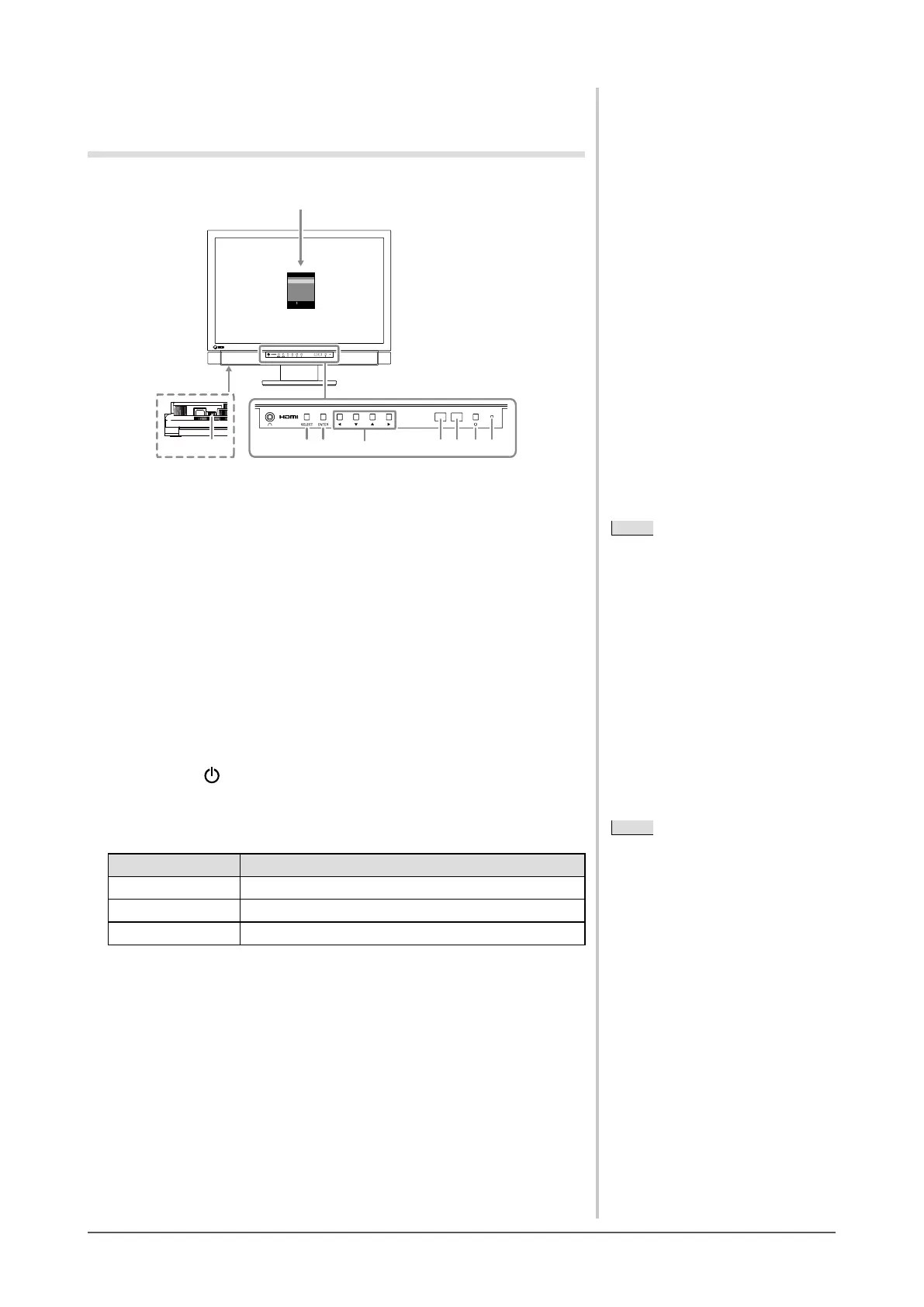
1-2 Controls and Functions
Buttons
2 3 4 5 6 718
ScreenManager
®
Color
Sound
PowerManager™
Monitor Settings
Information
[ENTER]: Enter
: Select
Buttons
Setting menu (ScreenManager
®
*
1
)
Bottom
1. Select button (SELECT)
●
Displays “SELECT” menu.
●
Each time you press the button, the content of the menu changes.
2. Enter button (ENTER)
Displays the Setting menu, xes the setting or adjustment items on each menu, and
saves the setting or adjustment results.
3. Control buttons (
t
/
q
/
p
/
u
)
Used to select the setting or adjustment items, or to increase or decrease the
adjustment values on each menu.
4. Sensor
Detects the environmental brightness.
5. Remote control detector
Receives the signal from the remote control.
6. Power button ( )
Turns the power on or off.
7. Power indicator
Indicates monitor’s operation status.
Indicator status Operation status
Blue Operating
Orange Power saving
Off Power off
8. Main Power Switch
Turns the main power on or off.
*
1
ScreenManager
®
is an EIZO’s nickname of the Setting menu.
NOTE
• You can adjust the volume and change
the input signal in “SELECT” menu.
NOTE
• You can adjust the volume and change
the input signal in “SELECT” menu.
NOTE
• While the screen is displayed, the
power indicator that is lighting blue
can be turned off (see “3-11 Setting
Power Indicator ON/OFF [Power
Indicator]” on page 38).
NOTE
• While the screen is displayed, the
power indicator that is lighting blue
can be turned off (see “3-11 Setting
Power Indicator ON/OFF [Power
Indicator]” on page 38).











 To Next Page