8
Chapter 1 Features and Overview
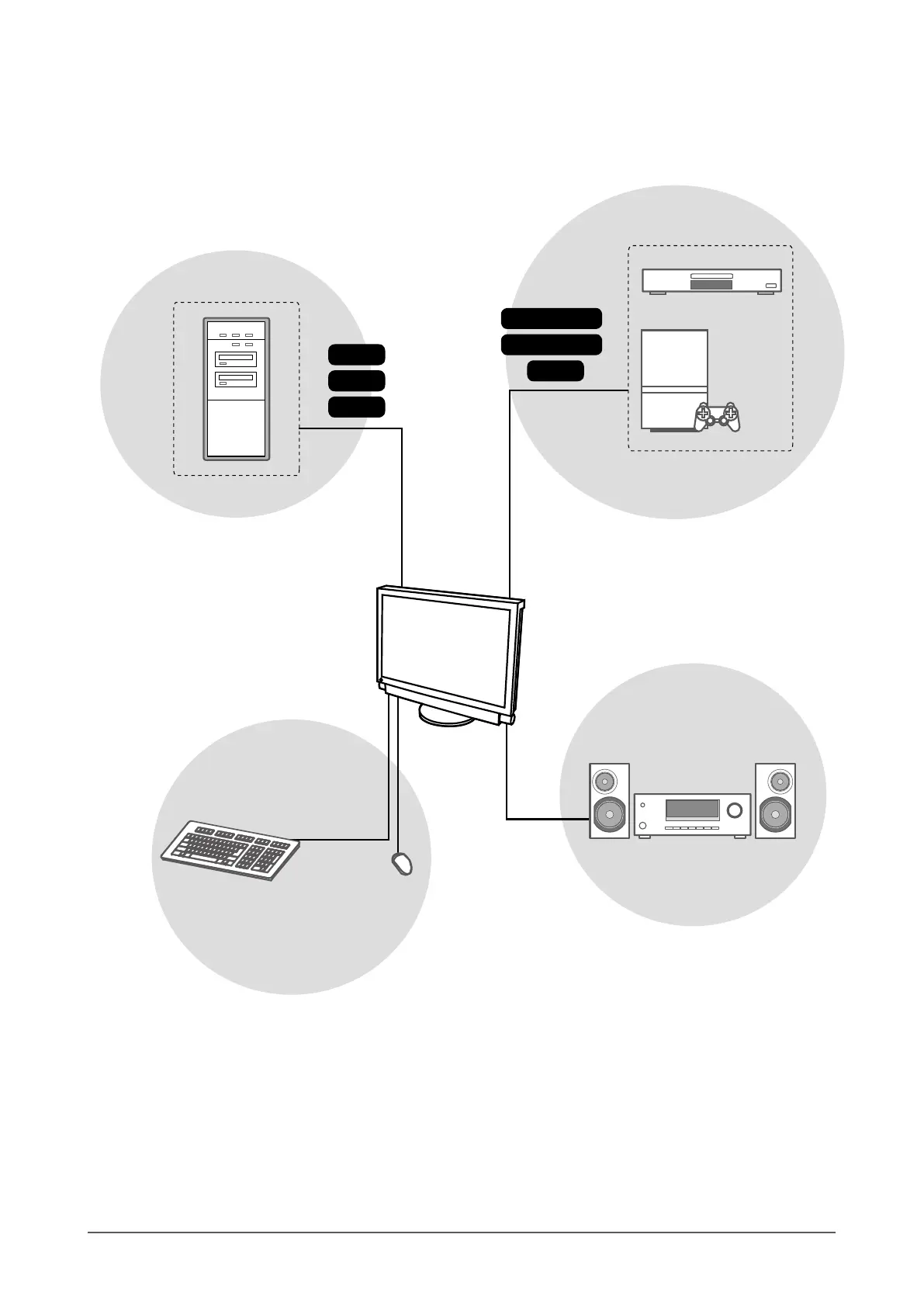
Connecting to peripheral devices
Enables you to output sound from PC
and AV device by connecting to
speakers and AV amplier.
NOTE
• Enables you to enjoy sound by
connecting a headphone to the
headphone jack.
USB devices
Keyboard
(Also available to connect a printer or a
scanner, etc.)
Attention
• Use a PC/OS applicable to USB devices.
[Applicable OS]
- Windows 2000/XP/Vista
- Mac OS 9.2.2 and Mac OS X 10.2 or later
• USB device does not work when the main
power switch of the monitor is off.
Mouse
PC
Enables you to use as a monitor by connecting to
a Windows PC or a Macintosh.
AV device
DVD player
Game
Enables you to display projected images by
connecting a DVD, Video, game, etc.
D-Sub
HDMI
Component
S-Video / Video
DVI
HDMI
Audio device










 To Next Page