48
Chapter 5 Reference
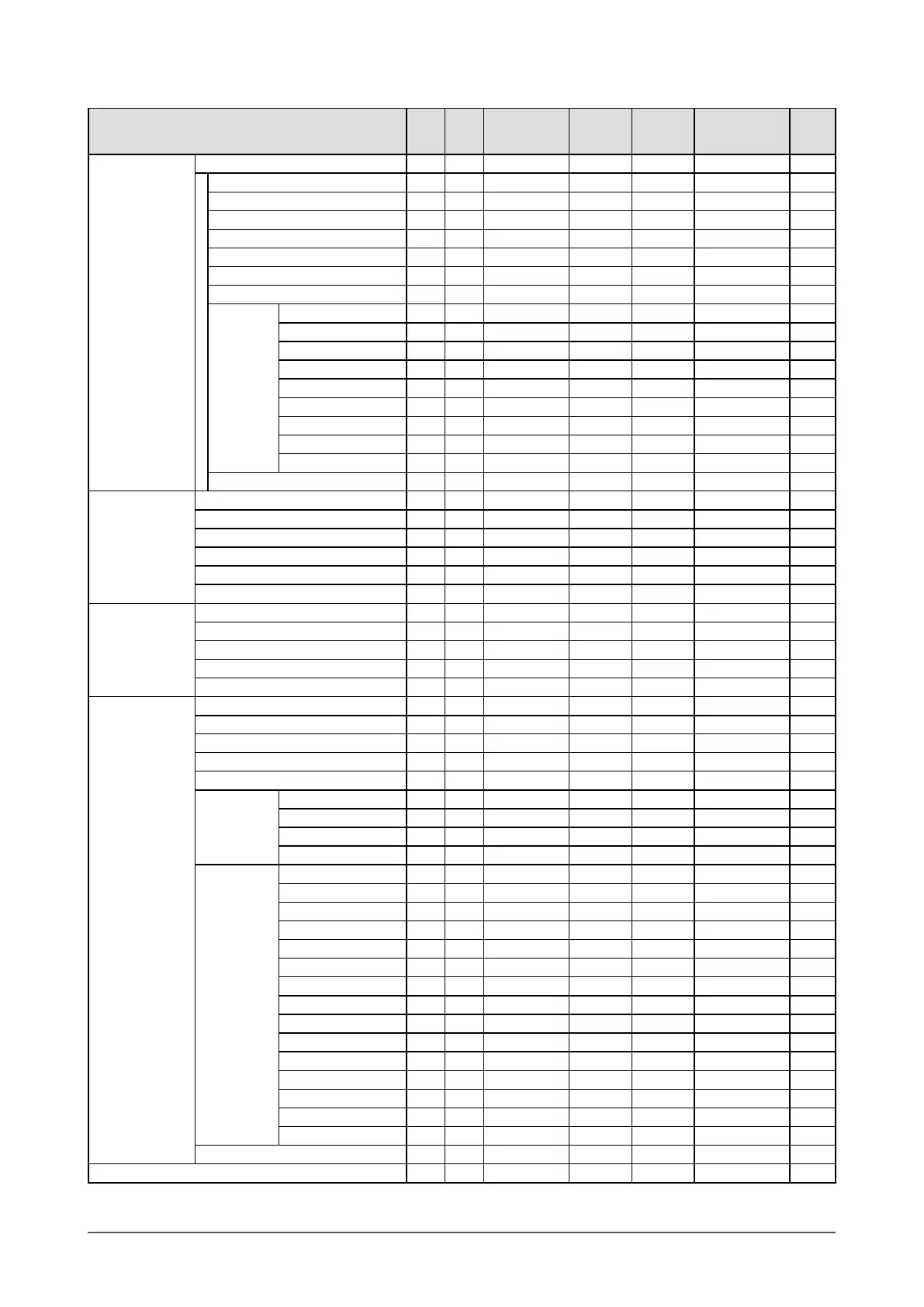
Setting menu list
Item PC1 PC2
HDMI1 / HDMI2
(
PC Signal Input
)
VIDEO1 VIDEO2
HDMI1 / HDMI2
(Video Signal
Input)
PinP
Color Color Mode √ √ √ √ √ √ √
Brightness √ √ √ √ √ √ √
Black Level (R) / (G) / (B) √ √ √ - - - √
Black Level - - - √ √ √ -
Contrast √ √ √ √ √ √ √
Saturation √ √ √ √ √ √ √
Hue √ √ √ √ √ √ √
Temperature √ √ √ √ √ √ √
Advanced
Settings
Auto EcoView √ √ √ √ √ √ √
OutlineEnhancer √ √ √ √ √ √ √
ContrastEnhancer √ √ √ √ √ √ √
RGB Balance - - - √ √ √ -
Gamma √ √ √ √ √ √ √
Gain √ √ √ - - - √
Noise Filter - - - √ √ √ -
I/P Conversion - - - √ √ √ -
Reset √ √ √ √ √ √ √
Reset √ √ √ √ √ √ √
Sound Balance √ √ √ √ √ √ √
Treble √ √ √ √ √ √ √
Bass √ √ √ √ √ √ √
Bass Boost
*
1
√ √ √ √ √ √ √
Stereo Expander
*
1
√ √ √ √ √ √ √
Reset √ √ √ √ √ √ √
PowerManager No Signal Off √ √ √ √ √ √ √
No Operation Off √ √ √ √ √ √ √
Power Saving (PC) √ √ √ √ √ √ √
EcoView Index √ √ √ √ √ √ √
Reset √ √ √ √ √ √ √
Monitor
Settings
Language √ √ √ √ √ √ √
USB Selection √ √ √ √ √ √ √
Power Indicator √ √ √ √ √ √ √
Sub-Window Lucent √ √ √ √ √ √ √
Real Image √ √ √ √ √ √ √
HDMI CEC
Setting
HDMI CEC √ √ √ √ √ √ √
Power On Link √ √ √ √ √ √ √
Power Off Link √ √ √ √ √ √ √
Reset √ √ √ √ √ √ √
Advanced
Settings
Auto Screen Adjust - √ - - - - √
*
2
Auto Range Adjust - √ - - - - √
*
2
Clock - √ - - - - √
*
2
Phase - √ - - √ - √
*
2
Position - √ - - - - √
*
2
Signal Filter - √ - - - - √
*
2
Input Format - - √ - - √ -
Auto Screen Size - - - √ √ √ -
Screen Ratio - - - √ √ √ -
3D-Y/C - - - √ - - -
Color System - - - √ - - -
Color Space - - √ - - √ -
Sound Input Jack - - √ - - √ -
Sound Level √ √ √ √ √ √ √
Reset √ √ √ √ √ √ √
Reset √ √ √ √ √ √ √
Information √ √ √ √ √ √ √
*
1
It cannot be selected when connecting to headphones.
*
2
When the Main Window uses PC2 at PinP display










 To Next Page