ACOM516 User Manual
Shenzhen Ejoin Technology Co.,Ltd. 11
The proxy server port. Ejoin default proxy port is 25600.
It is the same as primary proxy, don’t need set it.
Gateway will send a register request to the softswitch during every
expiration period.
Disabled: all 16 ports will be used one SIP account.
Enabled: all 16 ports SIP account will be separate.
If the username is not the same with user id, enable it.
Disabled: only the SIP server address which is type in basic
settings or phone book can send traffic to this gateway.
Enabled: traffic from any server can send traffic to this gateway
(same LAN or both gateway and server have a public IP). It’s
dangerous when eabled, hackers may send traffic to the gateway
then steal SIM balance.
If it is enabled, it will remove the account prefix presented in
callee number.
If it is enabled, gateway will send 183-Session-Progress
immediatey for a incoming INVITE.
If it is enabled, gateway will only accept the call whose “From”
header is matched. Note: if the gateway is just used as call
termination, please disable it.
Gateway will send this SIP code as response to SIP server when
no available line.
The User Agent header which is used in SIP message.
Table 3.3-1
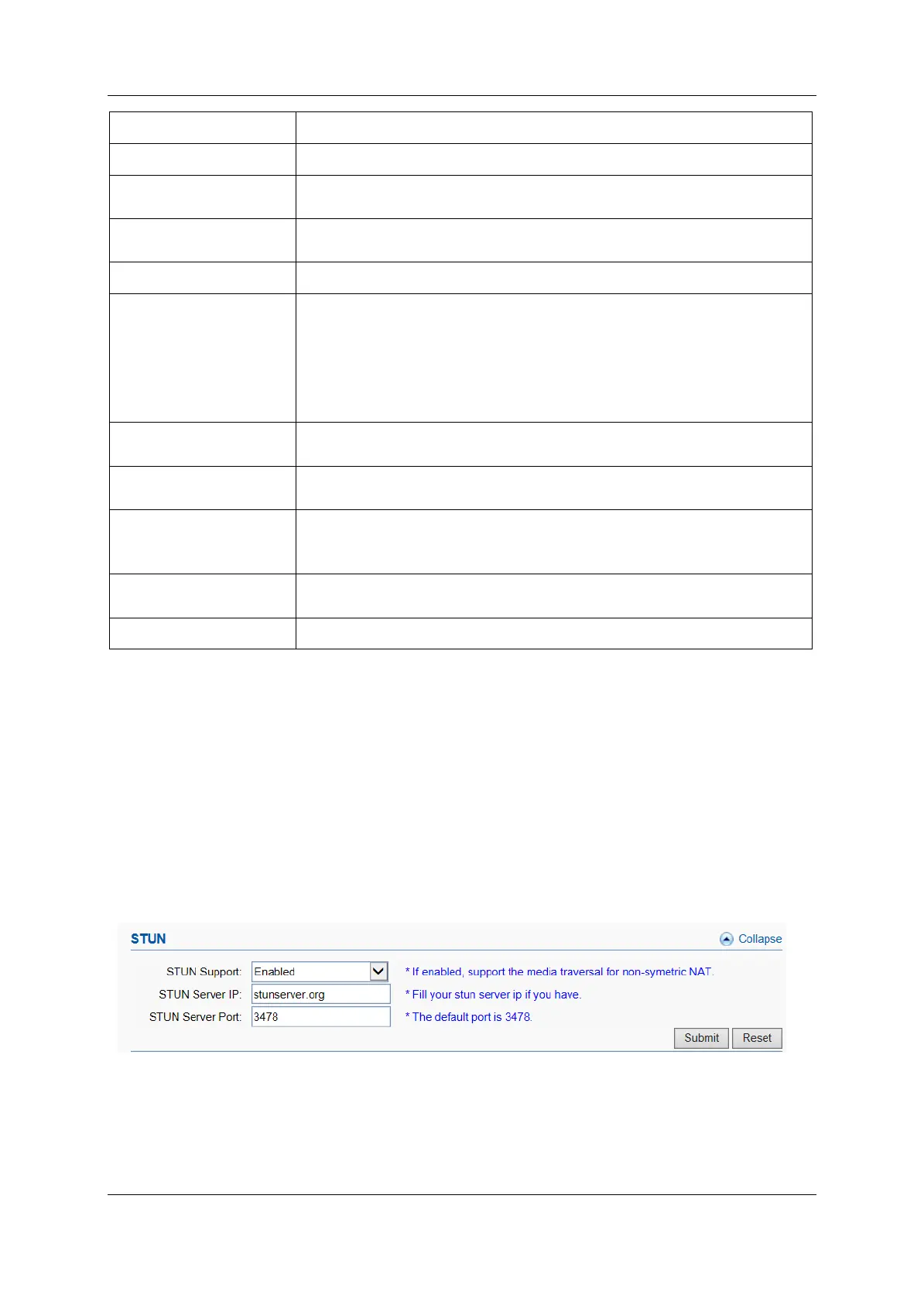
STUN
STUN (Simple Traversal of UDP through NAT) is a protocol for assisting
devices behind a NAT firewall or router with their packet routing. If you have
the STUN server, enable STUN support, fill the server IP and port (default port
is 3478), then it will work.
Figure 3.3-2 STUN Settings


 To Next Page