ACOM516 User Manual
Shenzhen Ejoin Technology Co.,Ltd. 17
Gateway channel, starts from 1 to 16.
Auto: every channel will select the base station automatically.
Poll: base station will switch during every switch period, if set a base
station in white list, it will be locked in this channel.
It will show the base station
The base station white list, if you just put one base here and select
“poll”, this channel will lock the base station.
The base station can’t be used if put in black list.
Refresh the base station information.
Table 3.4.2-2
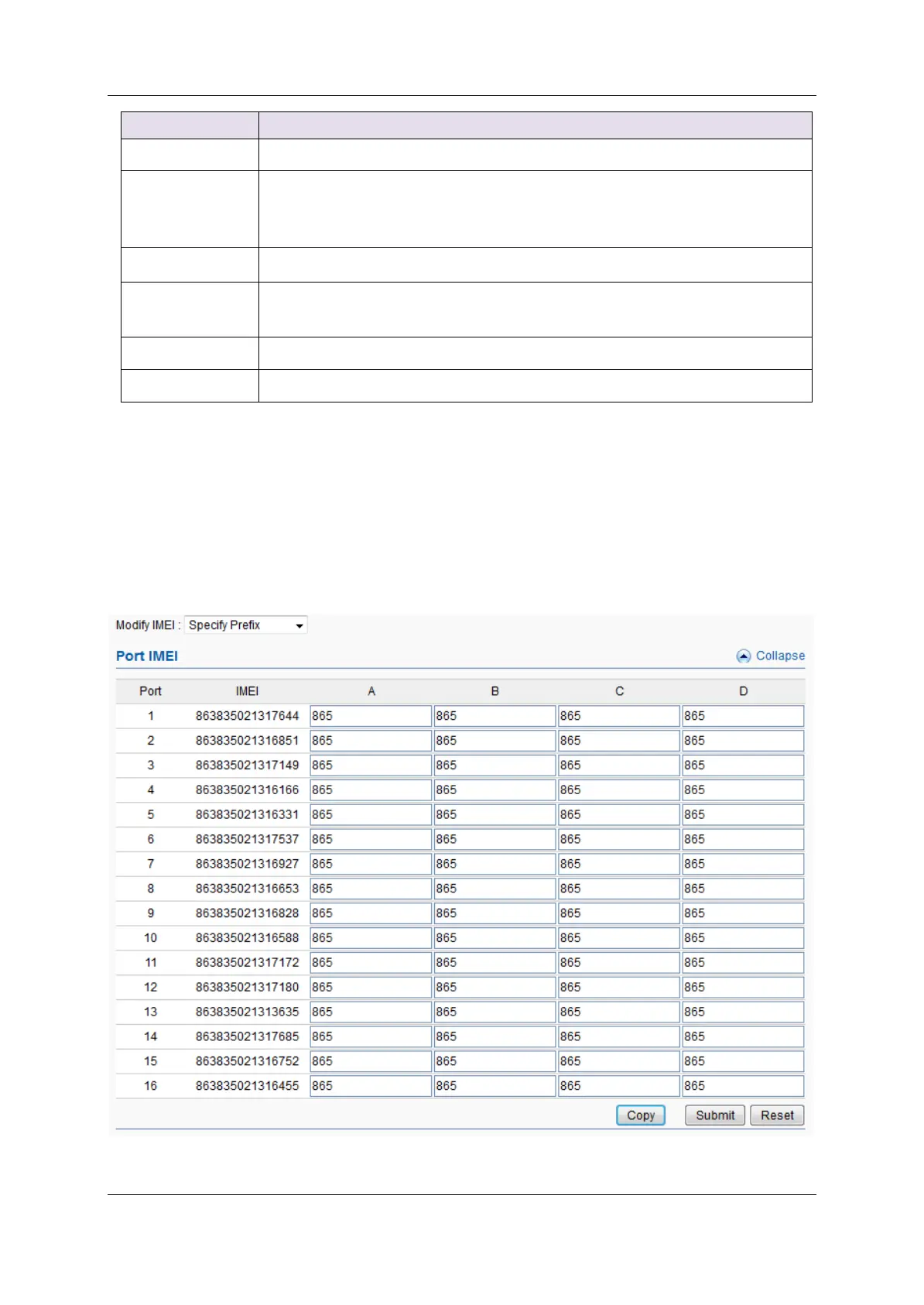
3.4.3 IMEI Settings
IMEI means International Mobile equipment Identity, it is a 15-digit
number. The gateway can do IMEI modification, it can protect SIM from
blocking. With the function, you can do static IMEI or dynamic IMEI.
Figure 3.4.3-1 IMEI Settings


 To Next Page