ACOM516 User Manual
Shenzhen Ejoin Technology Co.,Ltd. 18
You can set any different IMEI for every port, just set 14-digit number, the
last digit will generate itself. If you need set with special prefix, just click
“copy” , you can see the figure as above: set 865 in port 1A, after click “copy”,
every port will have a IMEI prefix 865.
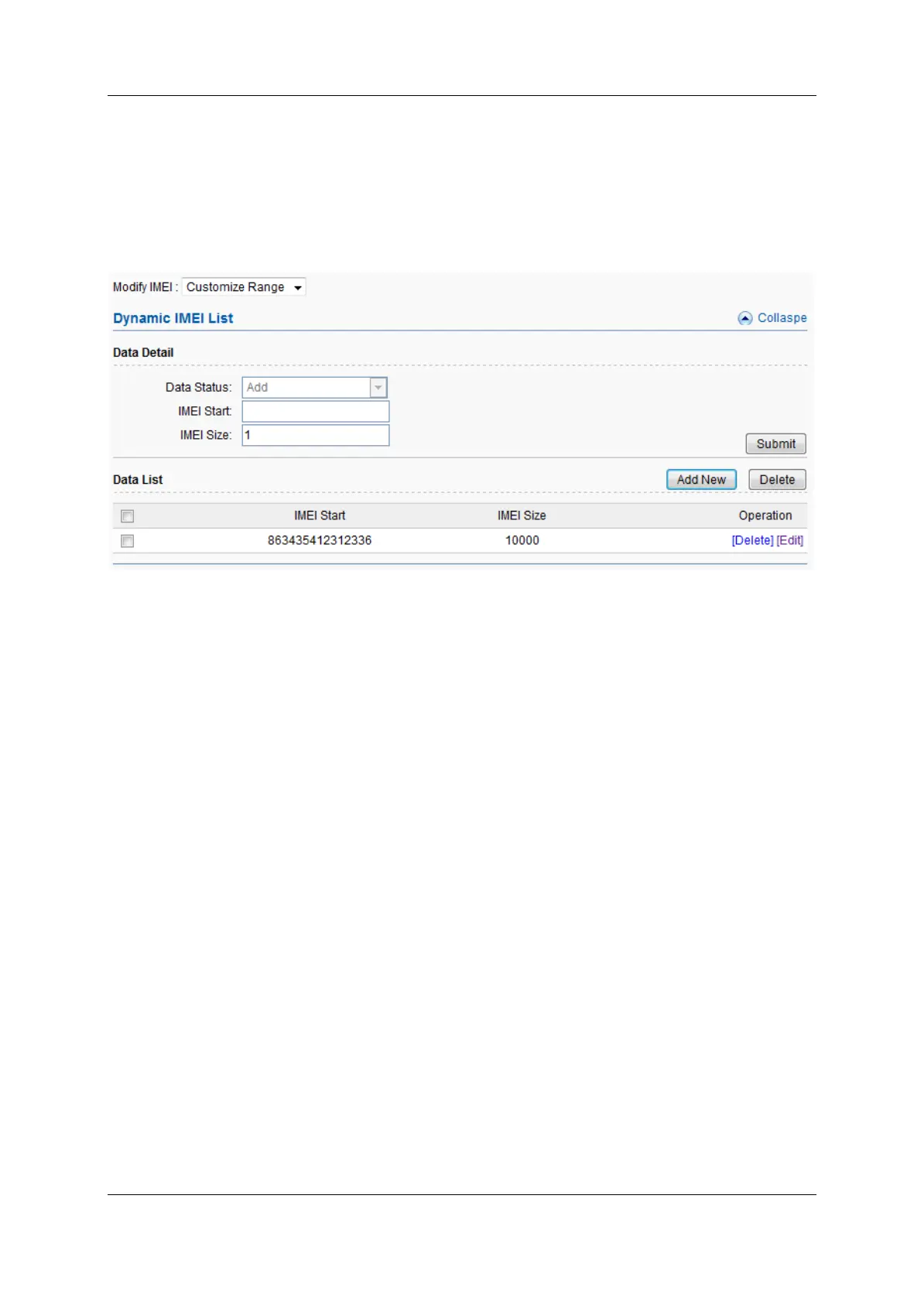
Figure 3.4.3-2 Dynamic IMEI Settings
You can click “Add New” button to add a new dynamic IMEI list, this list
includes initial IMEI value of IMEI group and the size of IMEI group. click
“Delete” will delete a exist IMEI list, if you want to change the settings of
dynamic IMEI list, please click “Edit” button.
3.4.4 PIN Settings
PIN means personal identification number, it just like a password of SIM
card, it can help to prevent SIM card from being stolen and improve security.
Most SIM cards don’t have PIN code. If a SIM card is with PIN, you need input
PIN code in corresponding slot and enable “PIN Unblock”, then the SIM card
will work.


 To Next Page