ACOM516 User Manual
Shenzhen Ejoin Technology Co.,Ltd. 2
1.3 Product Appearance
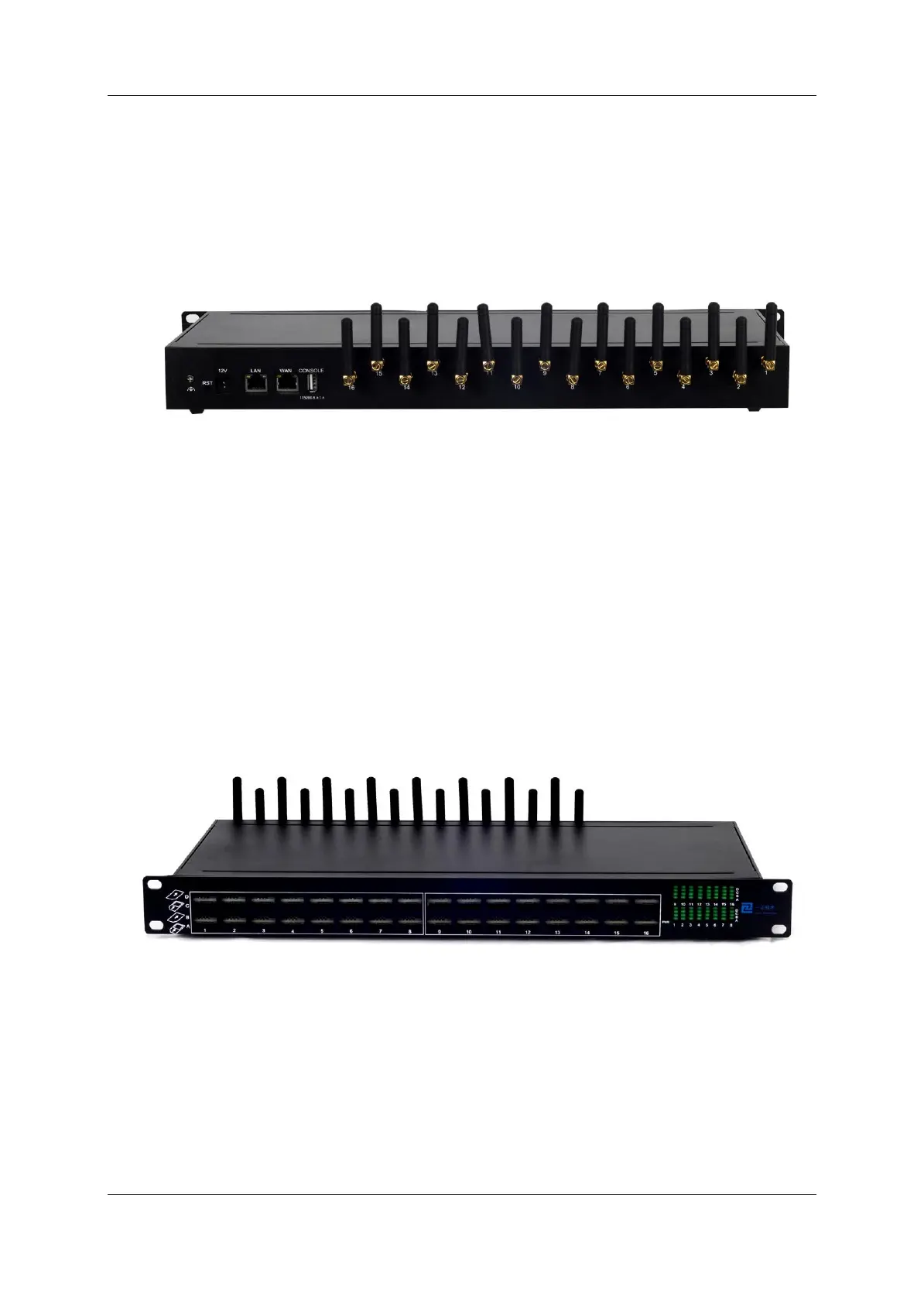
Back Panel
Figure 1.3-1 Back Panel
Description of the front panel(from left to right):
1 Ground connection
1 reset button (press RST button about 10s will restore to factory settings)
1 Power Interface (DC 12V 5A)
2 Network Interface (LAN and WAN, RJ45)
1 Console Interface (USB to Serial, Baudrate 115200)
16 Antenna Connector
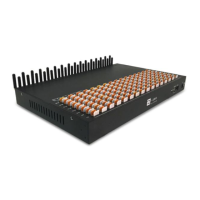
Front Panel
Figure 1.3-2 Front Panel
Description of the front panel(from left to right):
64 SIM slots (4 SIM cards per channel)
1 Power light (indicate the status of the power connection)
64 LED lights (indicate the status of SIM cards)
2 fans


 To Next Page