ACOM516 User Manual
Shenzhen Ejoin Technology Co.,Ltd. 50
3.8.2 Log System
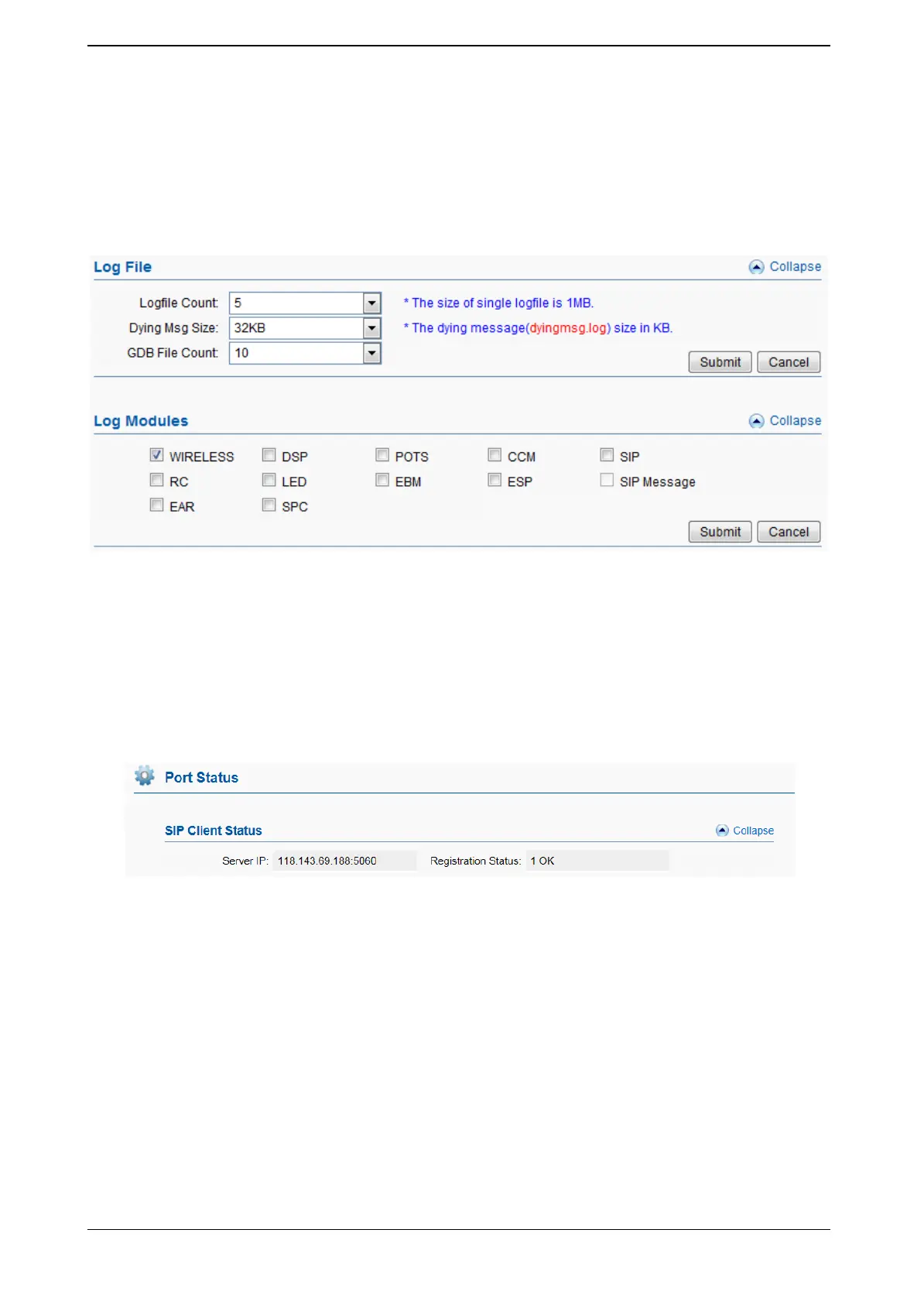
You can enable the specific progress module running logs to monitor the device
working status, and set the log file size. Device will save 5 logs defaultly , 20 is the
maximum of logs num that device can saved in memory.
You can back to System Setting>>File management page to download these log files.
Figure 3.8.2-1 Log System
3.9 Running Status
3.9.1 Port Status
SIP Client Status
Figure 3.9.1-1 Port Status
SIP Client Status displays the register status while device work with SIP
registration mode.
OK means registered to server successfully, ready to receive call from server.
Failed means device is not registered on server or device working in a SIP Point-
to-Point mode.


 To Next Page