ACOM516 User Manual
Shenzhen Ejoin Technology Co.,Ltd. 13
Intelligent routing, gateway will route calls by the allowed prefix. for
example: channel 1 is with prefix 070 and 075, this channel will only
accept the calls with prefix 070 and 075, others will not be routed to this
channel. If allowed prefix is blank, it can accept any calls. If all prefixes
don’t match, the call will be rejected.
When enable route by from, the channel will only accept the call which
caller ID is input in phone number.
SIP registration account.
The password of SIP registration account.
The status of registration. When gateway is registered with softswitch, it
will show ready.
Table 3.3-3
3.4 GoIP Settings
3.4.1 Port Settings
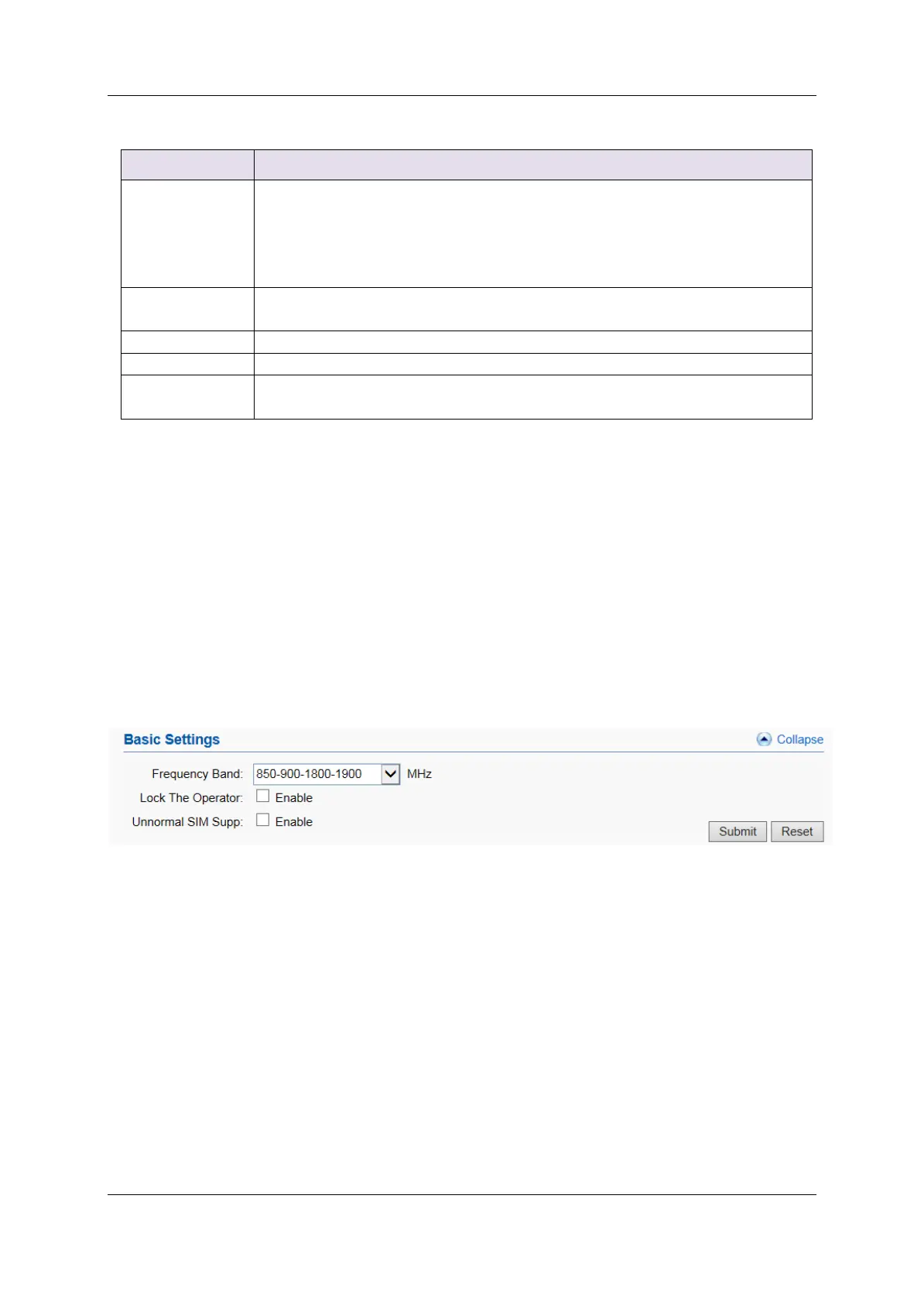
Basic Settings
You can select the frequency band and lock operator here. If SIM is not
show in the port status page after inserting, please enable Unnormal SIM Supp.
Figure 3.4.1-1 Basic Settings


 To Next Page