- 8 -
PS5 TEARDOWN
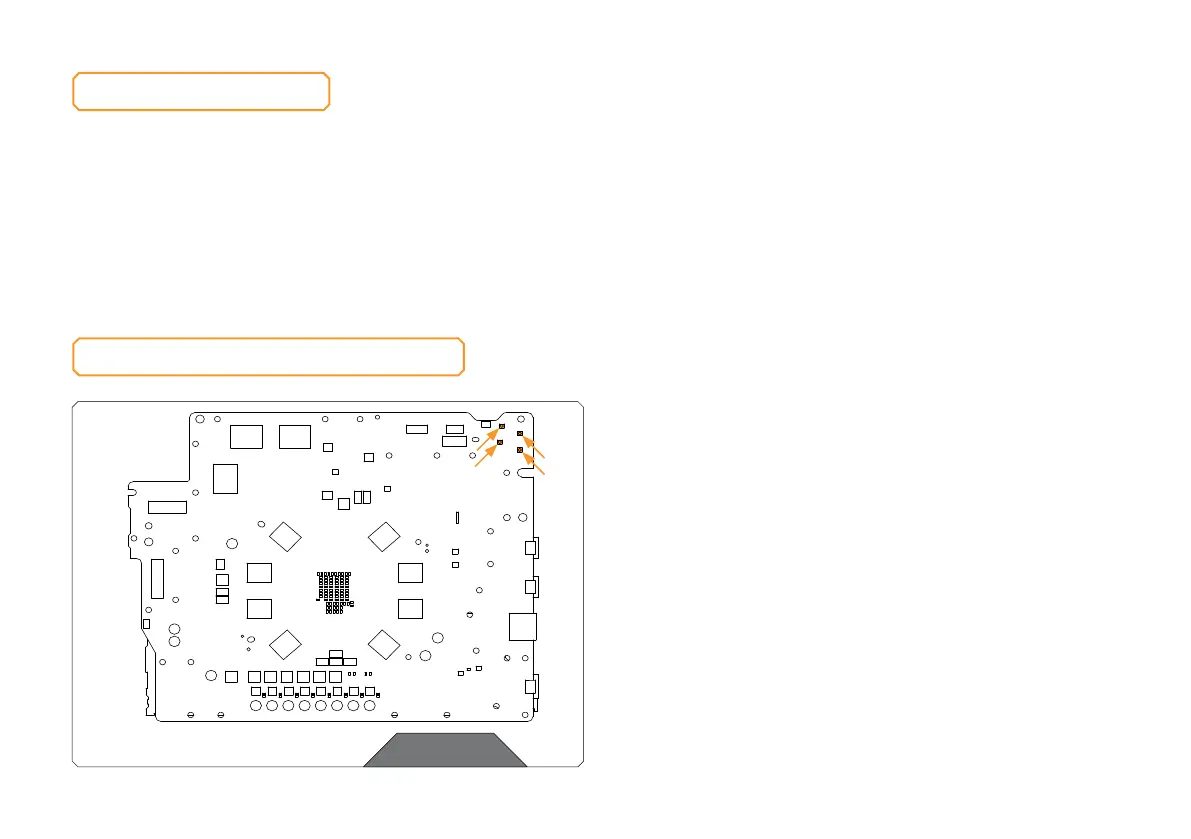
PREPARING THE PS5 PCB
REMOVING THE STOCK COOLER
Important! Before starting, make sure to have a clean, flat surface to work
on. To protect electronic components from electrostatic damage, place the
product on an antistatic surface.
Place your PS5 on a flat surface and carefully remove the stock cooler as shown
in the video: https://www.ekwb.com/shop/ek-quantumx-coolingstation-
monoblock-for-ps5 Pay attention to the following steps in order to install the
EK-QuantumX CoolingStation Monoblock for PS5 onto the PS5 PCB.
STEP 1
REMOVING THE POWER SUPPLY AND ANTENNAS WIFI
AND BLUETOOTH
As shown in the video PS5 Teardown: An up-close and personal look
at the console hardware carefully detach the connectors from the
PS5 motherboard and remove the Wi-Fi and Bluetooth antenna from
original casing. Both antennas are reused later on the installation of
the PS5 Monoblock.
STEP 1



 To Next Page