20
Selecting and modifying settings
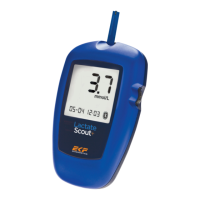
Settings are made in the "Settings and storage
mode“. The settings are only accessible when
no sensor is inserted. Press scroll wheel for two
seconds until a signal sounds and the display
with all elements and symbols appears.
Uponreleasetherstsubmenu“setCODE”
symbol is shown. Move between submenus by
scrolling the wheel. Accessibility of the submenu
is indicated by blinking.
Briey press the scroll wheel to activate a
submenu. Scroll to perform the desired settings
in the submenu. Press scroll wheel briey to
conrm the setting. Exit the settings menu by
pressing the scroll wheel for two seconds.
(set CODE): enter the correct Code for the
sensors in use, for detailed description see
page 8.
(set) (DUR): at selection of this submenu the
current step duration appears. Set desired step
duration using the scroll wheel as described
above. Maximal duration of one step is 10
minutes. Minimal setting is 10 seconds.
(COUNT DOWN): by activation of this submenu
the count down for the previously selected
step duration is started. A short signal tone will
sound after each minute and at every second
during the last 10 seconds of a step. An initially
lled black circle will empty quarterly after 25%,
50%, 70% and 100% of the step duration. The
elapse of the step duration is indicated by brief
consecutive signal tones and blinking “0:00”
(CLOCK): activation of this submenu starts
the stop clock immediately. Full minutes are
indicated by a brief signal tone. The displayed
circle lls consecutively with one black quarter
every 2,5 minutes. After 10 minutes the device
switchesbacktothe“CLOCK”menu.Thestop
clock can be stopped during the 10 min interval
by briey pressing the scroll wheel. A signal will
sound and the time will be stored together with
the next lactate test result.
(set) (Time Date): set correct hour by turning the
scroll wheel, conrm by briey pressing the scroll
wheel. Repeat consecutive for minute, day and
year. Format: hh:mm and dd/mm/yy
Settings


 To Next Page