6
Getting started
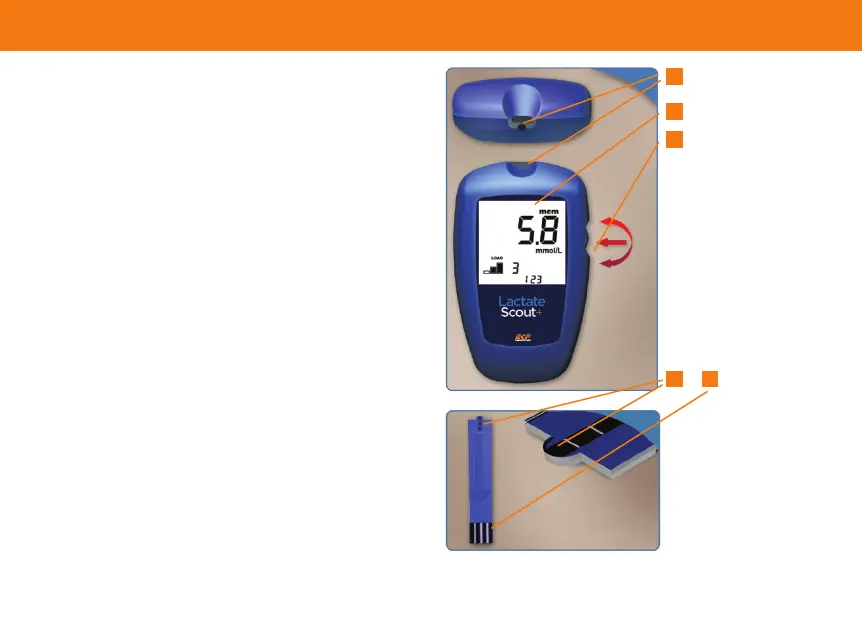
Lactate Scout+ analyzer
· Insertion slot (1) for the sensor
· Display window (2) for the display of test
readiness, the blood lactate concentration,
warnings and setting options
· Scroll wheel (3) for easy operation of the
analyser. Scroll up and down to view menu
options. Press the wheel to access the menu
Scrolling: Select option or search
Pressing: Activate/conrm selection or
deactivate/cancel selection
Turn on or off by pressing for 2 seconds
Lactate Scout+ sensor
· Measurement chamber (4) with opening for
the collection of the blood sample
· Connecting contacts (5) must be inserted
completely into the insertion slot of the
measuring device with the black contact
surface facing up
1
2
3
4 5


 To Next Page