26
Functionality check in dSC mode
A functionality check should be performed if
there are any doubts regarding the accuracy
of the test result or the correct function of the
device or sensors.Test solutions are available in
following concentrations: 10 mmol/L, 5 mmol/L
and 2 mmol/L.
All test solutions must be stored at 5°C to 25°C.
The expiry date for the test solution is stated on
the label of the test solution bottle. After initial
use the test solution bottle must be rmly closed
for further storage and must be used within 3
months.
Preparing the functionality test: Allow the test
solution, the sensors and the device to adjust to
ambient temperature before performing the test.
Openthetestsolutionbottleandwipeoffthe
opening. Discharge the rst droplet and press
out the next droplet onto a clean non-absorbent
surface.
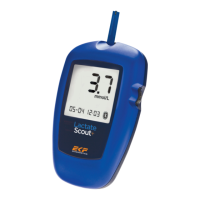
Activate the submenu Ctrl D+S as described
under settings. In the display the letters "dSC"
are shown blinking. Insert sensor. The code
display appears briey and switches to the
blinking drop symbol indicating that the device
is ready to test. At the same time the target value
is displayed with the measurement unit (mmol/L).
Turn the scroll wheel to select the appropriate
target concentration of your test solution. Do
not conrm by pressing the scroll wheel! Touch
the drop of test solution with the sensor like
when performing a regular measurement, see
instructions page 14-15.
The test starts and the round progress display
is shown together with "dSC". An acoustic
signal indicates that the test is completed. The
measured lactate concentration is displayed.
Troubleshooting


 To Next Page