23
Transferring data to the PC
The Lactate Scout+ is capable of the wireless
transfer of data to a PC using “Bluetooth
TM
”.
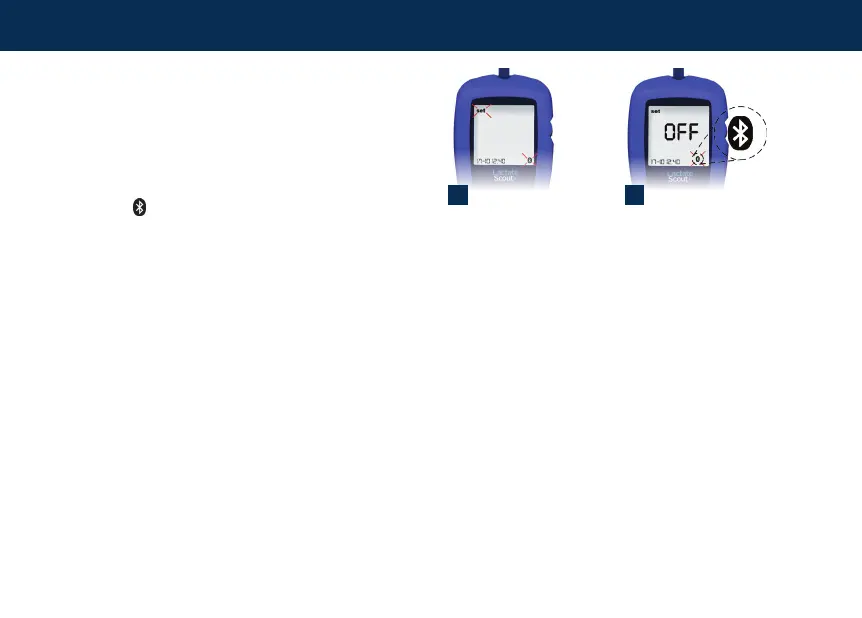
The data transfer menu is activated in the setting
and storage mode. Press the scroll wheel for two
seconds and scroll until “set” and a Bluetooth
TM
symbol “ ” appears blinking on the display (1).
The menu is activated by briey pressing the
scrollwheelsothat“OFF”andthecontinually
blinking Bluetooth
TM
symbol below are displayed
on the main display (2).
1 2
Menu for activating the
Bluetooth
™
connection
Bluetooth
™
is inactive
Data storage


 To Next Page