16
Settings for step tests
Lactate Scout+ allows for the recording of
values for step tests. The general procedure for
preparation, sampling and measurement is the
same as the individual test (see pages 12 - 15).
After inserting a sensor and conrmation
of test readiness (blinking drop) select the
appropriate step test phase for the subject.
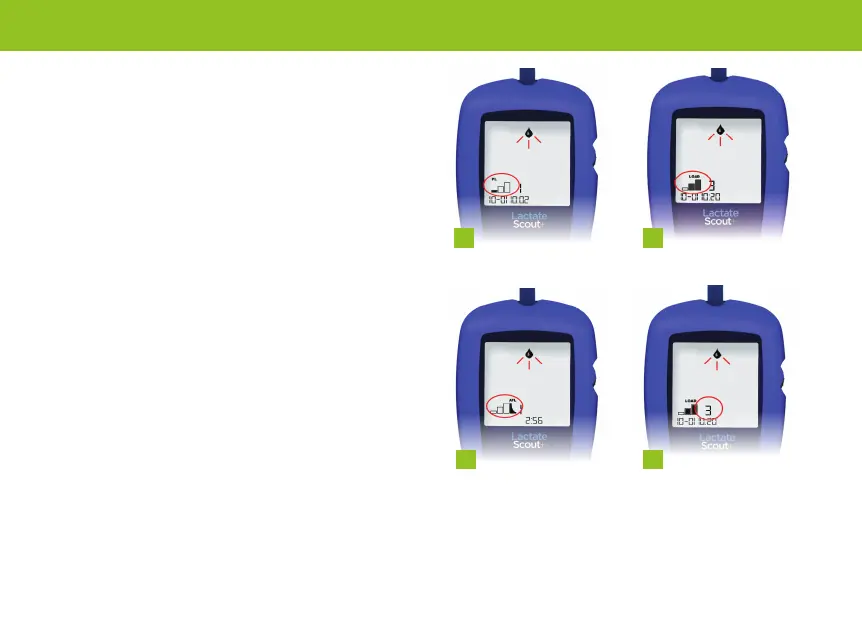
The step test phases are displayed as follows:
1. PL: Preload (for resting values)
2. LOAD: Load (for load values)
3. AFL: Afterload (for afterload values)
It is possible to begin with any of the step test
phases, however it is not possible to change
later. (e.g. a preload cannot be selected after
the load).
Performing step tests
1 2
3 4


 To Next Page