ELAD FDM-DUO User Manual - Rev. 2.3 - 06/2016
© 2016 ELAD S.r.l. All rights reserved. No part of this document may be reproduced, published, used, disclosed or disseminated in any form or
by any means, electronic, photocopying or otherwise, without prior written permission of ELAD S.r.l.
37
6 CAT Remote Control
6.1 General Specifications
The FDM-DUO transceiver uses a full-duplex, asynchronous, USB serial interface for communicating
through the USB CAT port. Each data is constructed with 1 start bit, 8 data bits, 1 stop bit, no parity is
used (8N1). The baud rate is selectable in the [70] CAT BAUD menu. Available values are 9600, 38400,
57600, 115200 bps.
The FDM-DUO implements proprietary commands and also a subset of the Kenwood TS-480 command
set. Some of those TS-480 commands have no effect on the transceiver, they only ensure the
compatibility of the FDM-DUO with Ham Radio Deluxe.
6.2 Commands Types
A CAT command is composed of an alphabetical part, various parameters and a terminator that signals
the end of the command. For example to set the VFO-A to 14MHz the command is: “FA00014000000;”
with :
“FA”: alphabetical command,
“00014000000”: parameter,
“;”: terminator.
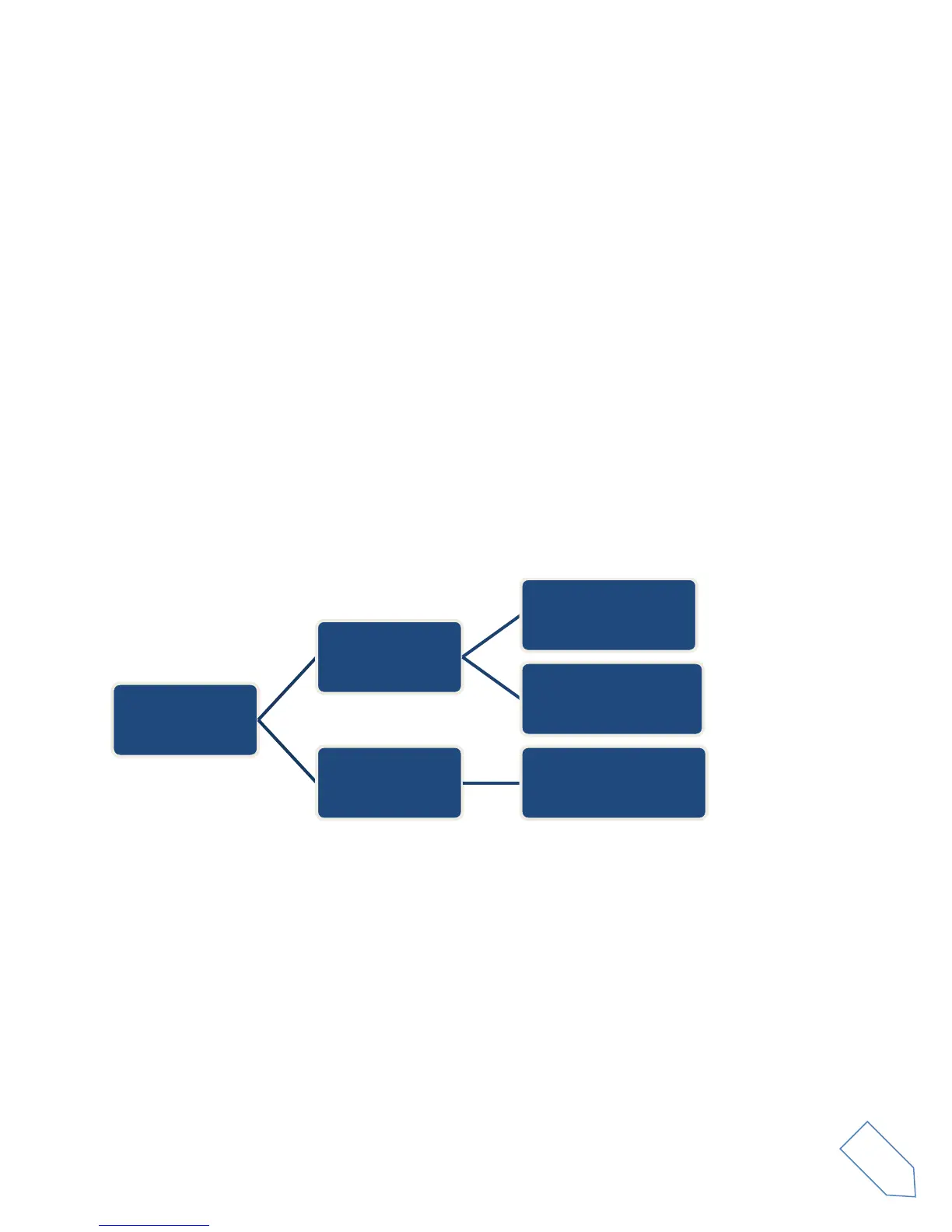
CAT commands can be classified as shown below:
EXAMPLE
To set the VFO-A to 14MHz the PC sends the SET command type “FA00014000000;”
To read the VFO-A frequency the PC sends the READ command type “FA;”, the ANSWER
response type is returned to the PC: “FA00014000000;”.
NOTE
Some particular rules about the CAT commands on the FDM-DUO :
not all the commands have the three types of command/response (SET, READ and ANSWER),
normally, send the SET command type will not cause the FDM-DUO to send the ANSWER
response type but if a command does not have a READ command type and has the SET and
ANSWER type, then send the SET command will cause the FDM-DUO to send the ANSWER
response type.
CAT
commands
Input
PC->FDM-DUO
SET
(sets a parameter)
READ
(reads a parameter)
Output
FDM-DUO->PC
ANSWER
(sends a parameter)


 To Next Page