ELAD FDM-DUO User Manual - Rev. 2.3 - 06/2016
© 2016 ELAD S.r.l. All rights reserved. No part of this document may be reproduced, published, used, disclosed or disseminated in any form or
by any means, electronic, photocopying or otherwise, without prior written permission of ELAD S.r.l.
89
8 Firmware update
This section describes how to update the various firmware of the FDM-DUO. The latest firmware
versions are available here: http://sdr.eladit.com/FDM-DUO/Firmware Releases/.
TO FACILITATE THE PROCEDURE, PLEASE UPDATE THE USER INTERFACE (UI) FIRMWARE AFTER DOING
THE OTHERS FIRMWARE UPDATES
8.1 RX and TX firmware update
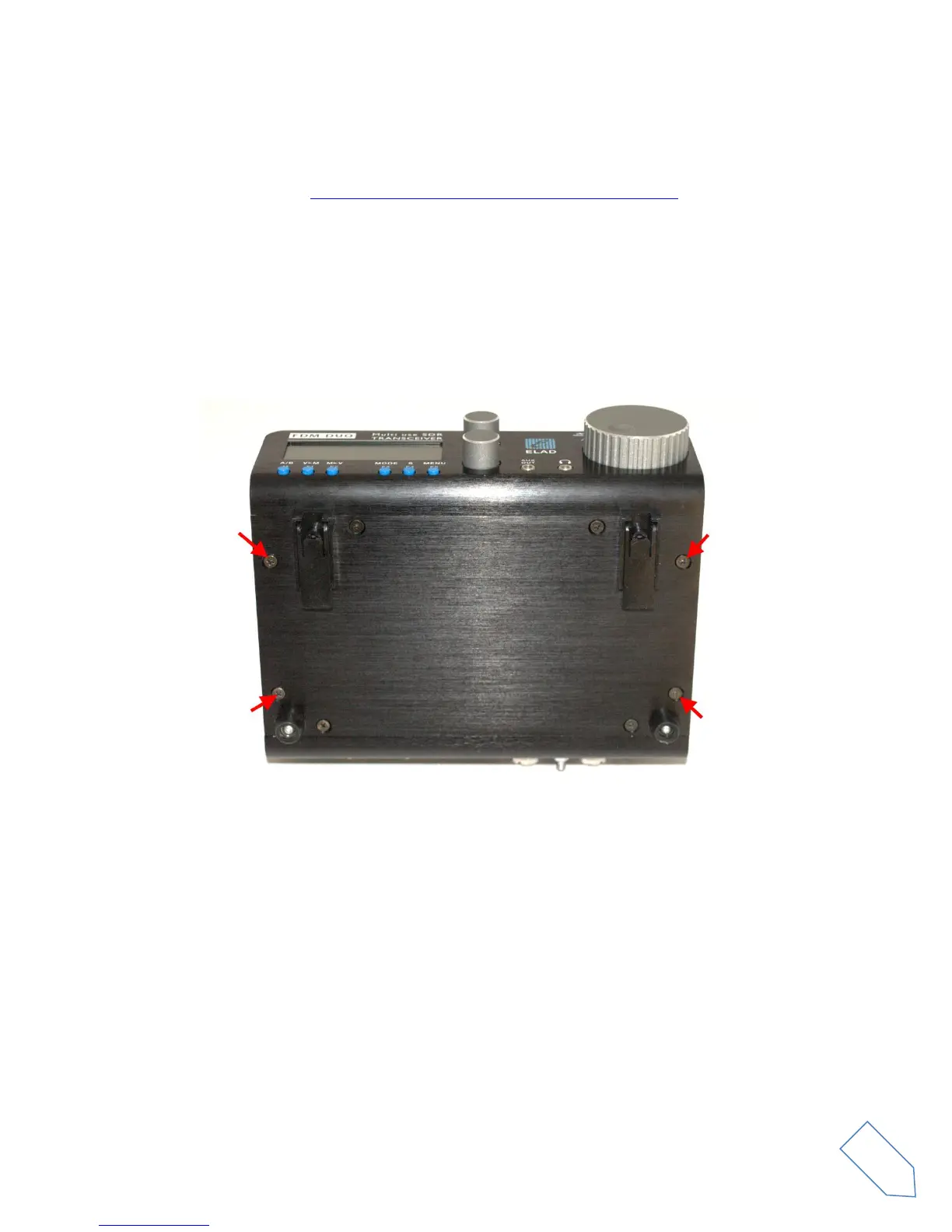
To update the RX and TX firmware, you must remove the FDM-DUO top cover. Remove the four screws
in the FDM-DUO chassis bottom as shown in the figure below.
Then remove the top cover of the FDM-DUO


 To Next Page