User Guide
Product: Evolis
A_Evolis Solution GB elancity
Page
/
Date: 03/01/2018
Confidential document, property of ELANCITY. All copies and transfers are unauthorized without prior consent.
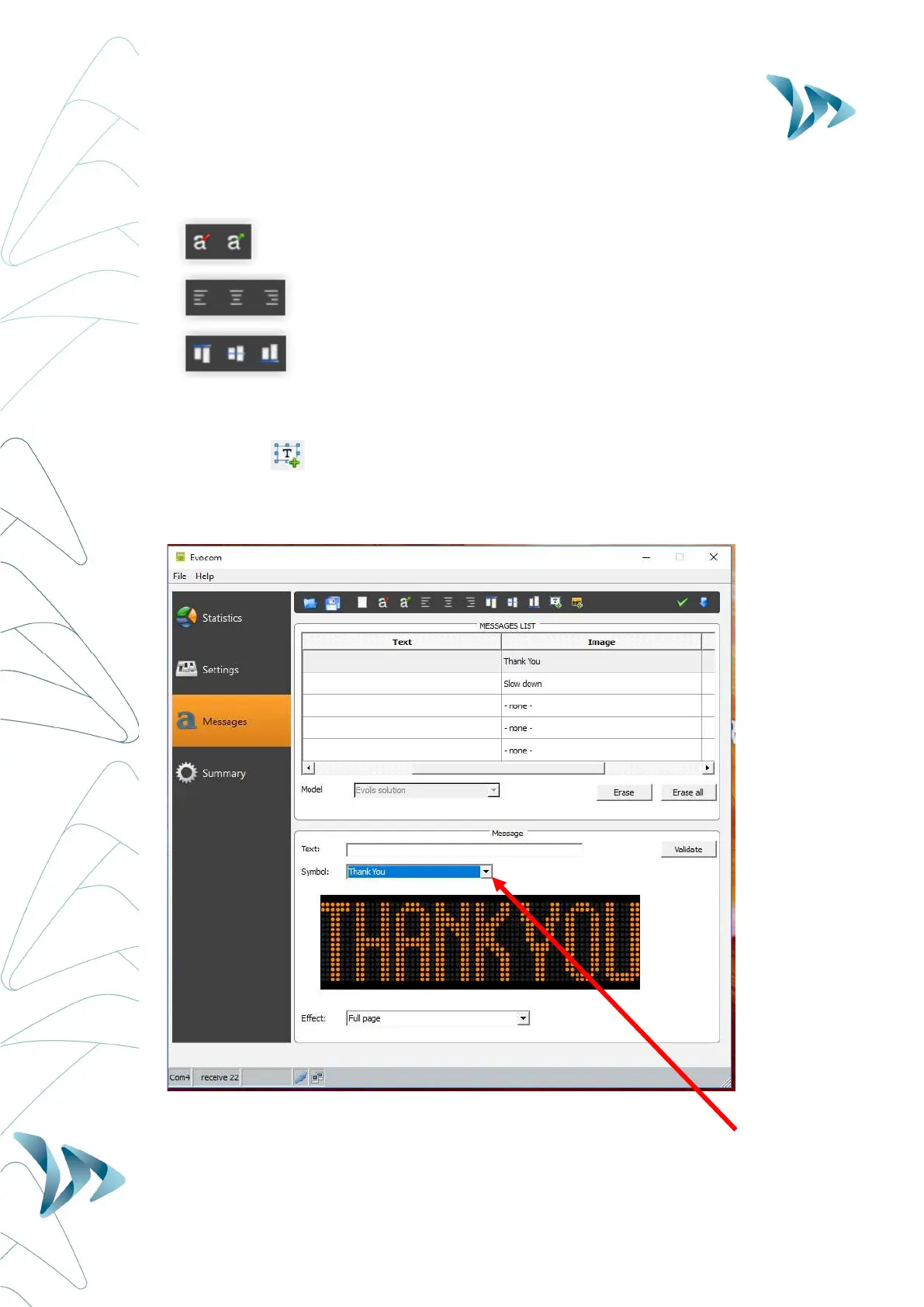
Other icons for message setting:
Reduces / Extends the size of the letters
Centering or align left & right
Vertical centering or alignment top / bottom
You can choose to display the messages on 1 or 2 lines by increasing/reducing the size of the
characters.
With the icon you can choose the type and size of the font.
Set up an "IMAGE’’ message:
In the drop-down menu "Symbol" select the image desired for “message 1.”


 To Next Page