User Guide
Product: Evolis
A_Evolis Solution GB elancity
Page
/
Date: 03/01/2018
Confidential document, property of ELANCITY. All copies and transfers are unauthorized without prior consent.
Step 2:
Ensure the Evolis is on and functioning.
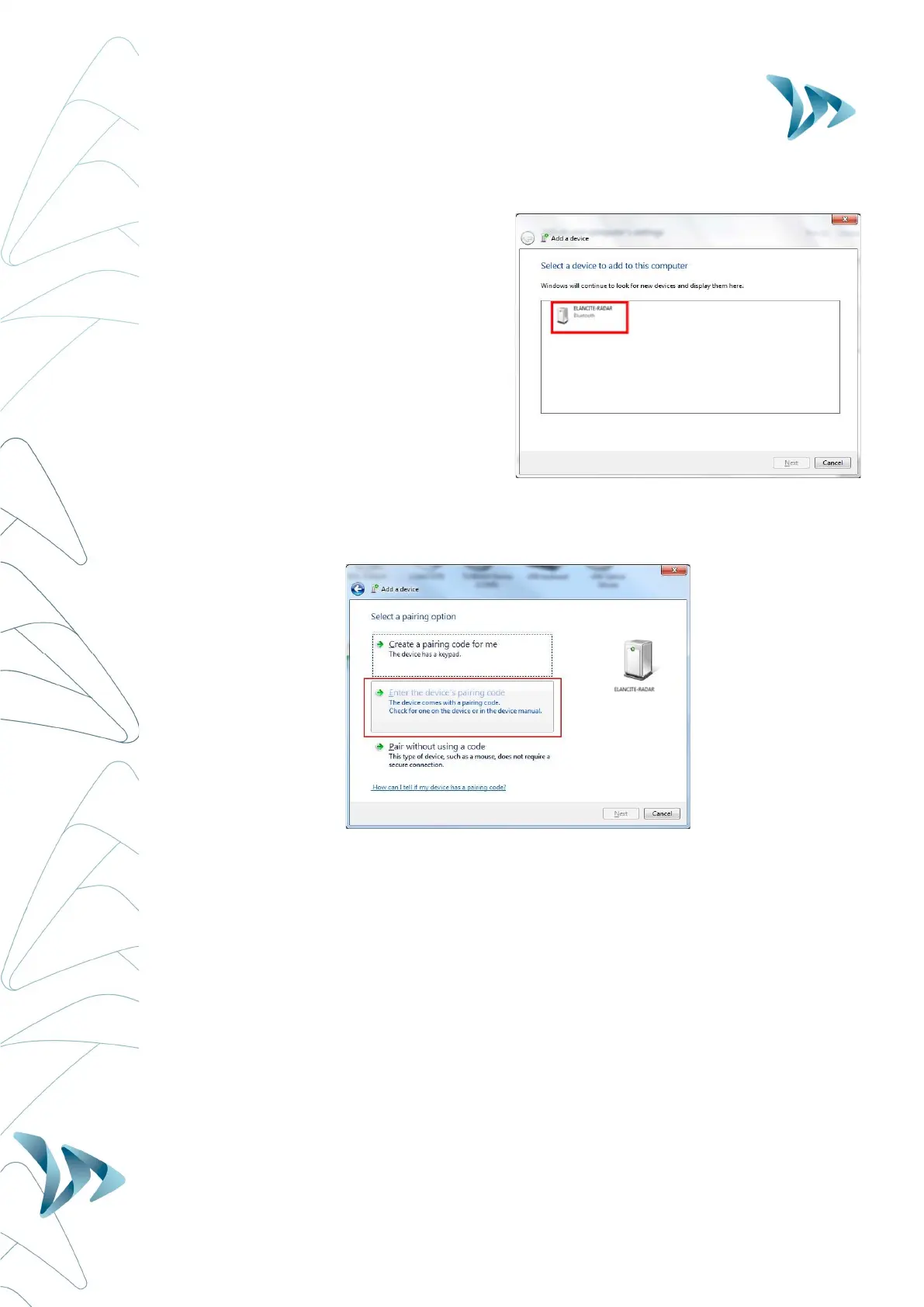
Initiate a research of peripheral device via
the menu "Add a Device"; your computer
will automatically detect all devices within
its range.
Make the connection with by clicking on
"ELANCITE RADAR" or "RADAR
EXAMPLE."
Step 3:
When you select the Evolis, you will be asked to enter a "pairing code".
Enter the 4 digit code printed on the Bluetooth document delivered with the radar sign.
Step 4:
Confirm, or click on next.
A message will confirm the successful connection between the 2 devices.


 To Next Page