R
20
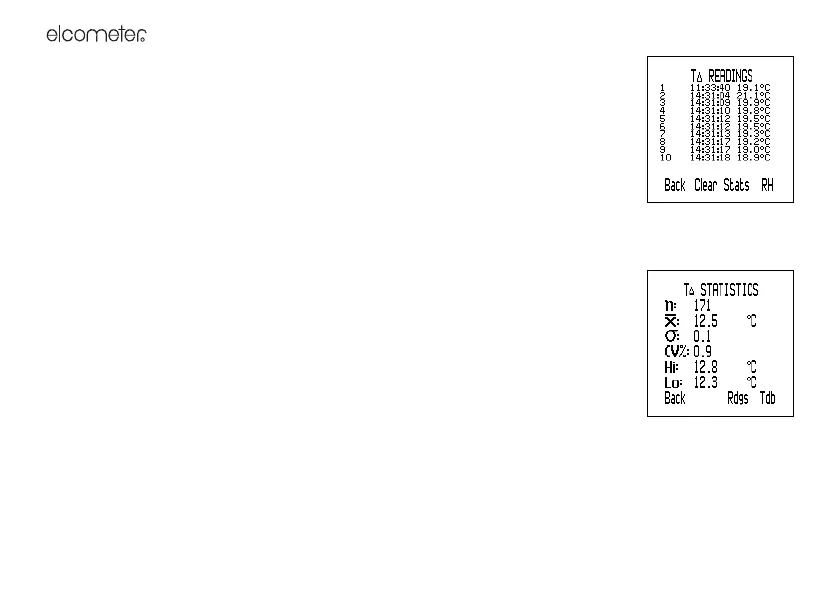
CLEARING STATISTICS AND READING DATA IN ROLLING MEMORY
1. With the reading screen displayed, press Stats.
The statistics are displayed.
2. Press Clear and then press Yes to confirm or No to decline.
6.2 STATISTICS AND THE BATCH MEMORY [T]
VIEWING STATISTICS AND READING DATA IN BATCH MEMORY
(Manual Logging or Interval Logging with Stats displayed)
1. With the batch reading screen displayed, press Stats.
The statistics are displayed. While the statistics are displayed, logging is halted.
2. Optional: To view the readings, press Rdgs.
The reading data for the parameter are displayed (to return to the statistics,
press Stats).
3. Optional: To view the statistics or reading data for the next parameter, press the
right hand softkey.
4. When finished, press Back.
5. The batch reading screen is displayed and logging recommences.
CLEARING STATISTICS AND READING DATA IN BATCH MEMORY
Follow the instructions given in “Delete” on page 18 to delete the statistics and reading data in one batch or
in all batches.



 To Next Page