12
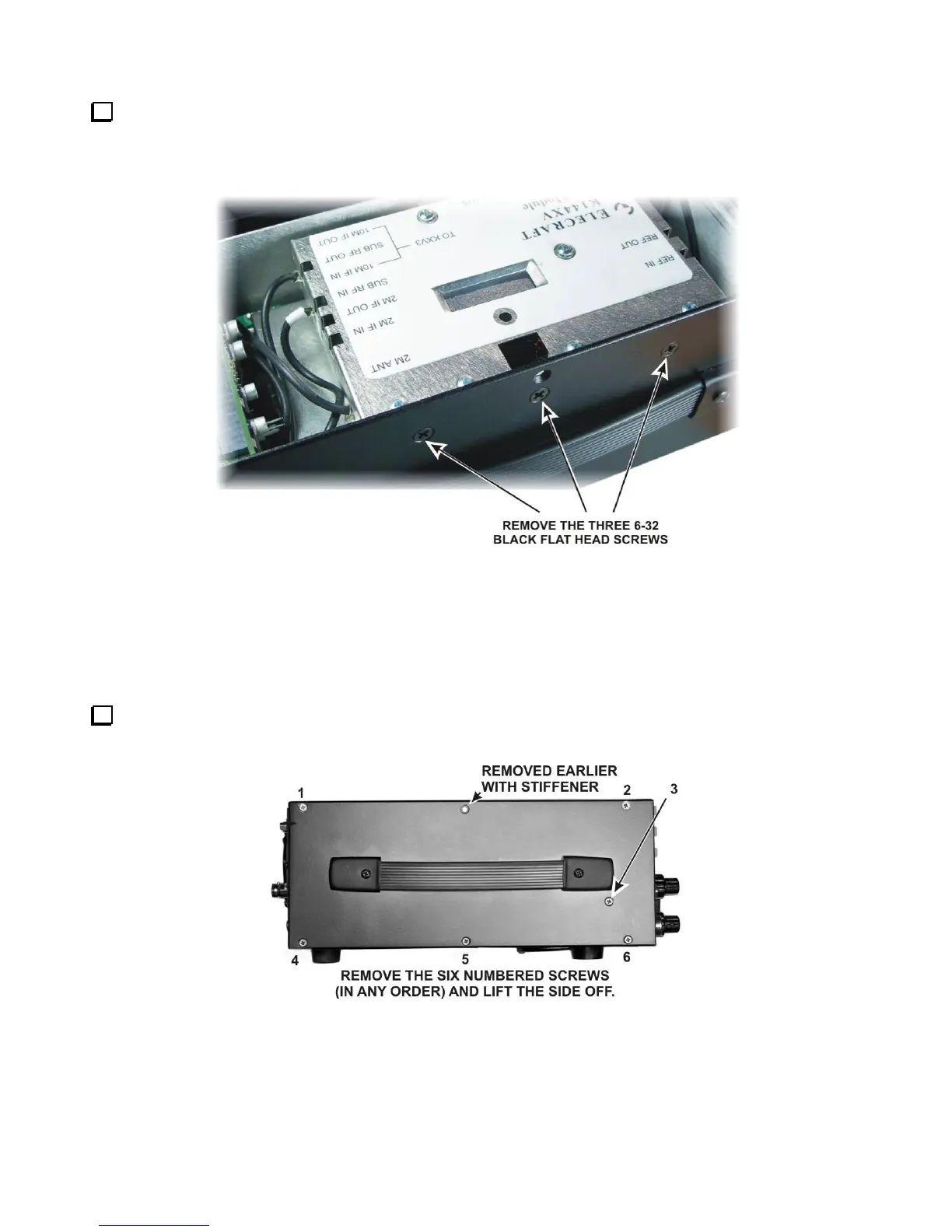
If your K3 has the K144XV 2-meter option installed, remove the three 6-32 black flat head screws holding
it to the left side panel (see Figure 4). Unplug the cables going to the K144XV module. The red power wire
plugs into a connector on the main RF board. Unplug it and set it aside with the module.
Figure 4. Removing the K144XV Module.
Installing the Auxiliary DSP Board
If the auxiliary DSP board is already installed in your K3, skip the following steps and go directly to Checking
and Modifying Resistor R91 and DAC Input Circuits on page 20.
Stand the K3 on its side feet, remove the six screws shown in Figure 5 and lift the left side panel off. Set the
side panel aside in a safe place to avoid scratches.
Figure 5. Removing the Left Side Panel.



 To Next Page