6. Energy Saving Functions
6.4 Energy C ounter
The radiator is equipped with an energy counter so the user can view the cumulative
power consumption in K/wh.
Encourages end users to monitor their energy usage and make reductions in temperature
making energy savings.
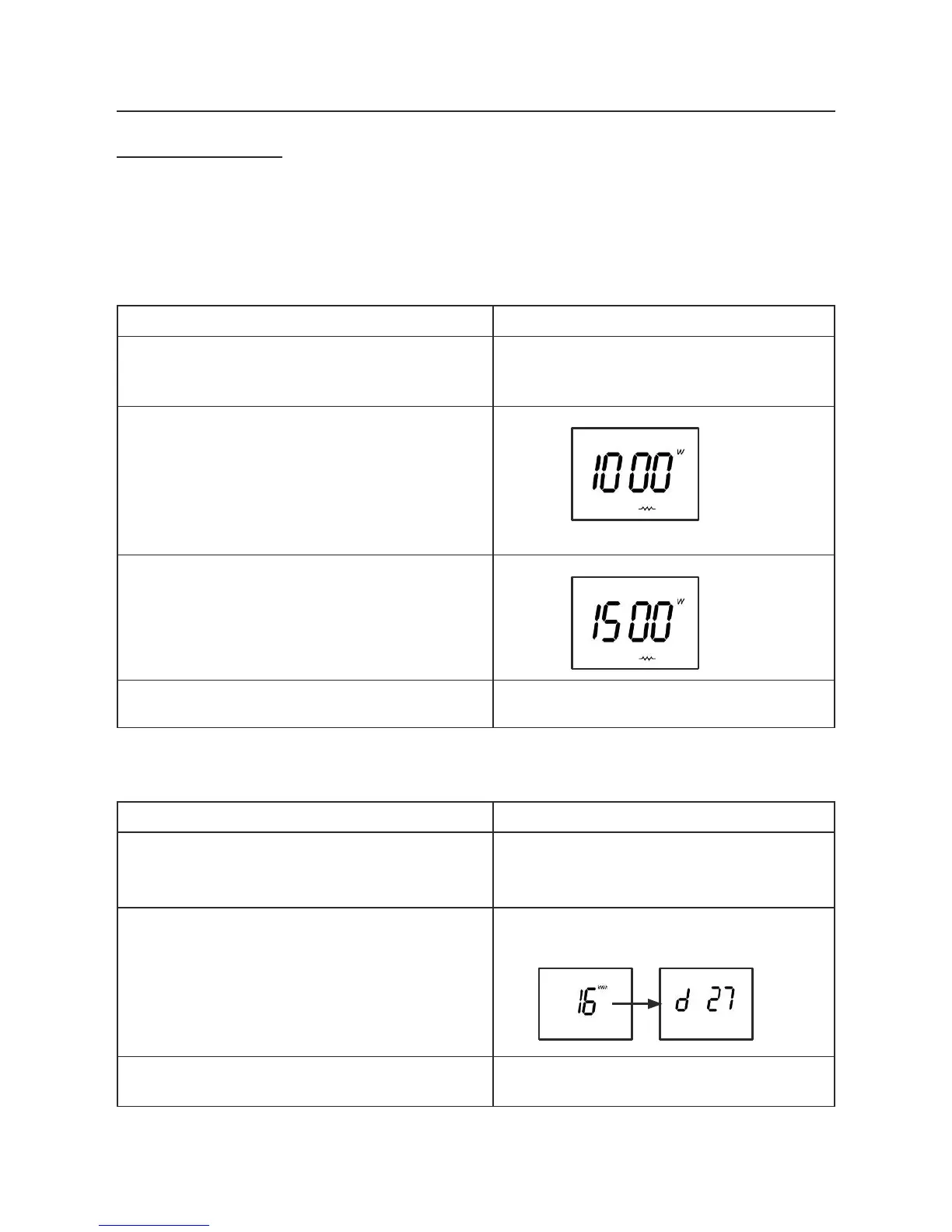
First set the radiator power:
a.
Ensure the thermostat is in the OFF/Stan-
dby position otherwise press the
ON/ OFF
PROG
button to go to the OFF position
Screen --:-- or hour : minutes
b.
Long press (2s) on the
MINUS
button to
display heater power
c.
Set the power value with
PLUS & MINUS button
d. Quit with MODE or OFF button
Screen --:-- or hour : minutes
Display the Energy C ounter:
a. Ensure the thermostat is in the STOP
position otherwise press the STOP/WEEKLY
PROGRAM button to go to the STOP position
Screen --:-- or hour : minutes
b.
Long press (2s) on the
PLUS
button
Energy counter is displayed 8s :
Alternative Display of Energy counter and number of
days since last reset of the counter
c.
To quit, wait 8 seconds or press
OFF
button
Screen --:-- or hour : minutes



 To Next Page