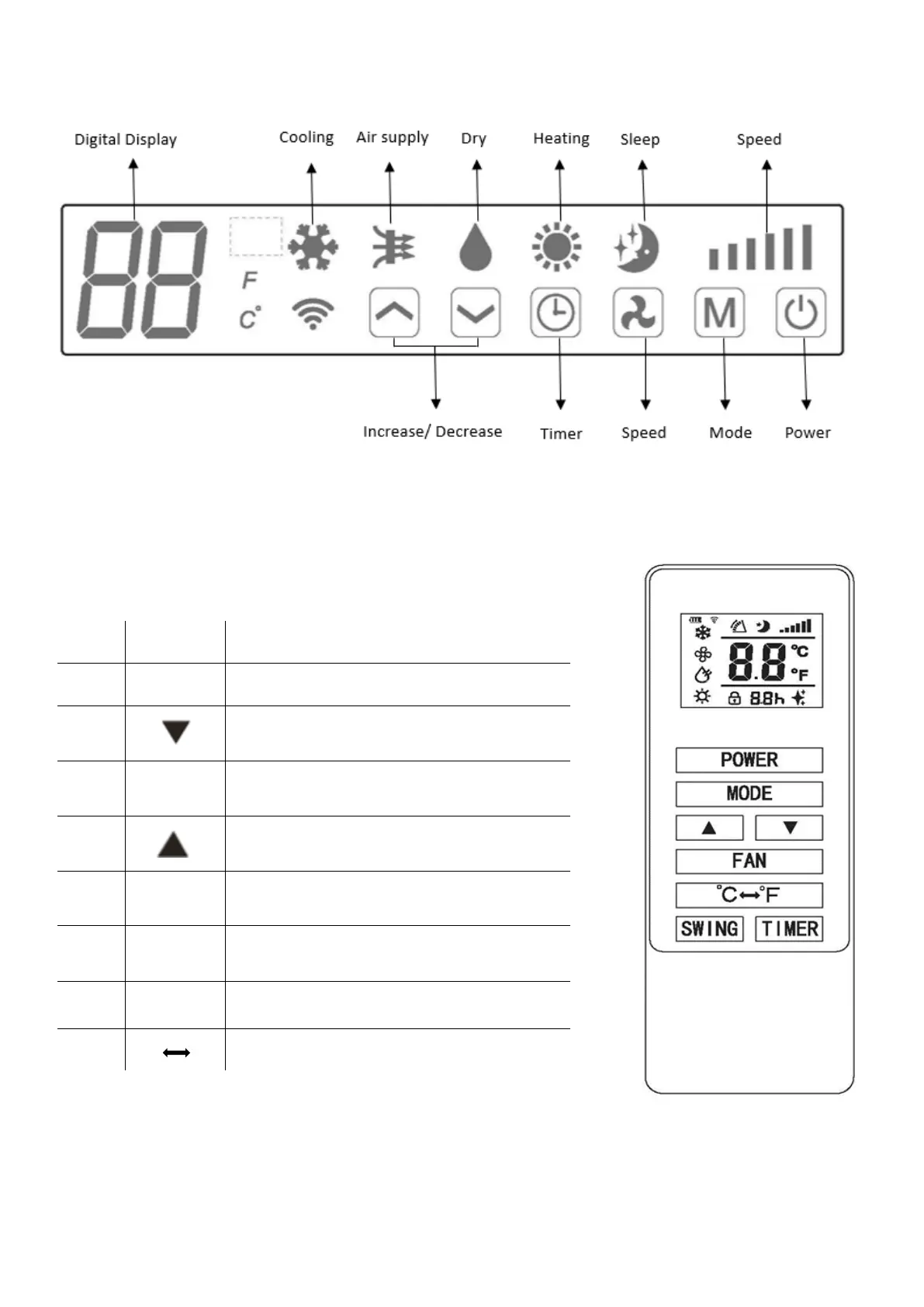
OPERATION
10
CONTROL PANEL
REMOTE CONTROL
The air conditioner can be controlled with the remote control. Two AAA-batteries are required.
NOTE: Further details of the functions can be found on the following page.
Press the POWER button to turn the machine
on or off.
Press the TIMER button to set the timer.
Press the DOWN button to decrease the
desired temperature or timer duration
Press the MODE button to switch between
cooling, heating, fan and dry modes.
Press the UP button to increase the desired
temperature or timer duration
Press the FAN button to change between high,
medium and low fan speeds
Press the SLEEP button to turn on sleep mode
(Can only be activated from the remote)
Press to turn the swing function on and off
(Can only be activated from the remote)
Press to switch between displaying the
temperature in farenheit and celcius.





 To Next Page