38 en | Amplifier DSP EVERSE Battery-powered Loudspeaker
2024-12 | 05 |
User manual
Bosch Security Systems, LLC
– Do not place the microphone directly in front of the loudspeaker. Refer to the user
manual of your microphone to know the pickup and rejection patterns of your
microphone.
– Avoid placing music stands, tablets, or other large flat objects near the microphone
such that they can cause audio reflections into the microphone.
– Use proper microphone technique when speaking, singing or placing by an
instrument to avoid using excessive input gain. For example, hold the microphone
close to your mouth when performing.
– Engage appropriate input channel PRESET for your application: LOWCUT80Hz,
LOWCUT120Hz, VOCALMIC, VOICEFILTER, SPEECH, ACOUSTICGUITAR, etc.
Refer to INPUT DSP control menu, page 42.
– Do not cup the microphone element with your hands while speaking or singing.
Only hold the microphone by the handle or body as per the microphone
manufacturer's recommendation.
2. Enable automatic feedback suppression (AFS) in the DSP control menu or FX section of
the QuickSmart Mobile app. This will enable AFS on INPUT1 and INPUT2.
1. Slowly turn up the output of the loudspeaker, and begin sound checking your
microphone or instrument.
2. As you hear feedback, allow a few seconds for the automatic feedback suppression
(AFS) to detect and to reduce the feedback.
3. Continue sound check until no additional feedback tones are generated.
MIX OUT menu
The MIX OUT menu is used to select which signal(s) should be output at MIX OUT and
which signal should be delivered by the loudspeaker.
– L+R - The left and right signals of all inputs are summed. The sum is output at MIX OUT
and is delivered by the loudspeaker (default).
– L - Only the panned left signal of all inputs is output at MIX OUT. The loudspeaker will
deliver only the right signal.
– R - Only the panned right signal of all inputs is output at MIX OUT. The loudspeaker
will deliver only the left signal.
BLUETOOTH menu
The BLUETOOTH menu is used to set the Bluetooth® functionality of the loudspeaker.
ON/OFF - The ON/OFF menu controls whether Bluetooth® functionality is enabled or
disabled on the loudspeaker.
CONTROL PAIR - The CONTROL PAIR menu is used to enable the QuickSmart Mobile app
wireless control and monitoring application. Available options for this selection are: ON or
OFF.
The default is OFF.
AUDIO PAIR - The AUDIO PAIR menu is used to stream audio from your Bluetooth® enabled
device to the loudspeaker system. Available options for this selection are: PAIRING, ON or
OFF.
The default is OFF.
LINKSPEAKERS
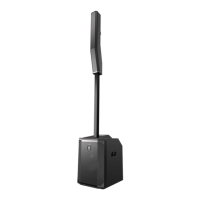
The LINKSPEAKERS function allows two EVERSE loudspeakers to be linked over
Bluetooth® in true wireless stereo.
To link two EVERSE loudspeakers:
1. Pair one of the EVERSE loudspeakers via Bluetooth® to a mobile device. Refer to Pairing
the QuickSmart Mobile app, page 14 for pairing instructions.



 To Next Page