EasyManua.ls Logo

Electrolux Hob - Troubleshooting Interface Issues

Electrolux Hob
57 pages
Print Icon
To Next Page IconTo Next Page
To Previous Page IconTo Previous Page
Loading...
SOI 04.05 FV 42/57 599 36 62-62
8.2 TROUBLESHOOTING WITHOUT ERROR CODE
Some malfunctioning conditions of the hob can appear without any indication of an error code.
Please find below some troubleshooting cases without error code.
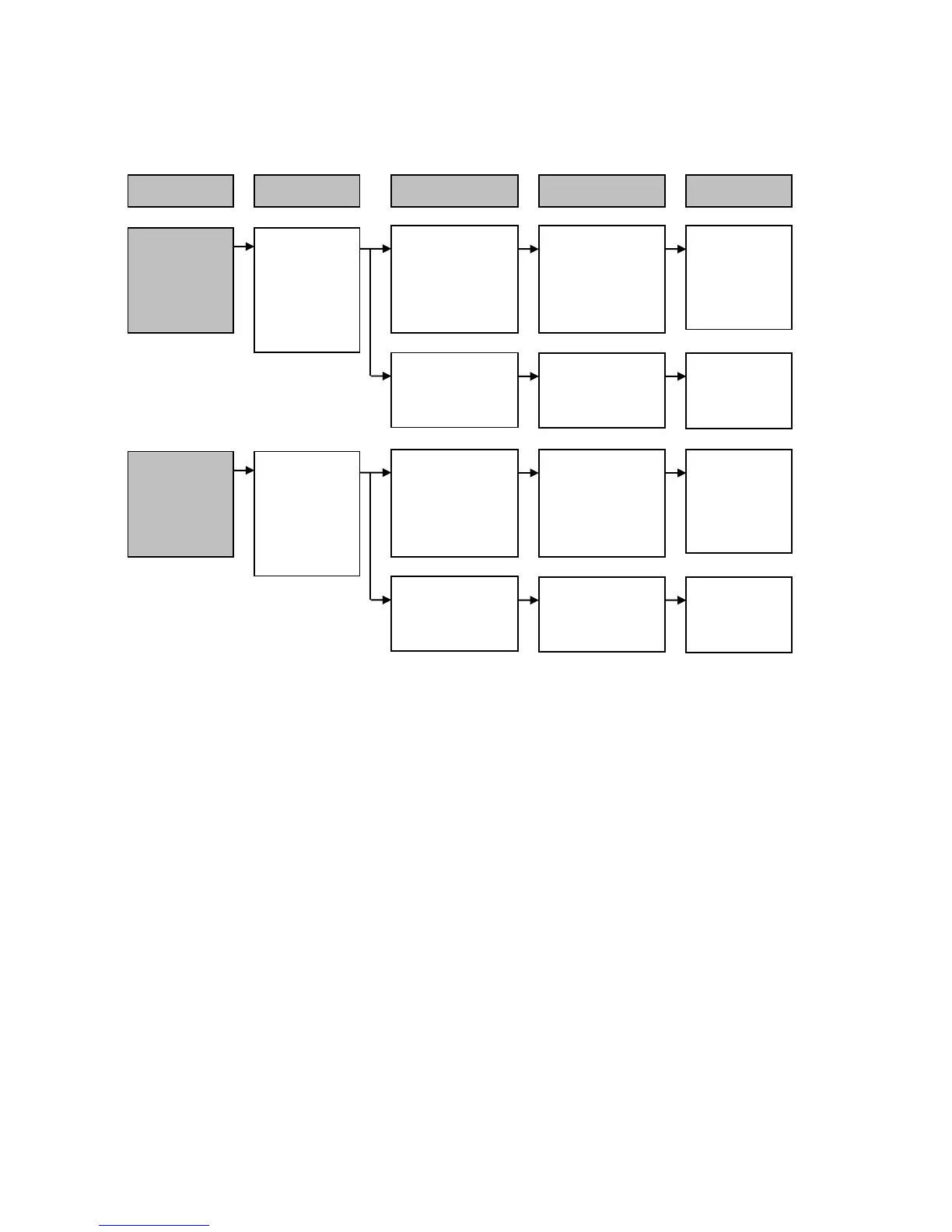
Control Result Cause Solution
One or more
sensor buttons
do not transmit
the control.
Check for the
relative
interface board-
power board
connections.
Interface board-
power board
connections
incorrect.
Condition
Faulty contacts on
the connections
between interface
board-power
board.
Reset the
connections
correctly.
Interface board-
power board
connections correct.
Interface board
faulty.
Replace
interface board.
One or more
Leds, or display
parts are off.
Check for the
relative
interface board-
power board
connections.
Interface board-
power board
connections
incorrect.
Faulty contacts on
the connections
between interface
board-power
board.
Reset the
connections
correctly.
Interface board-
power board
connections correct.
Interface board
faulty.
Replace
interface board.

Table of Contents

Related product manuals