General installation
25
487 18 39 01 - 300/500/750 - GB
Running hours counter
The machine is equipped with a running hour
counter to track all the complete hours that the
machine has been in operation.
The running hours read-out (a 6-digit number) is
given in the display.
Running hours are shown each time the power is
connected to the machine.
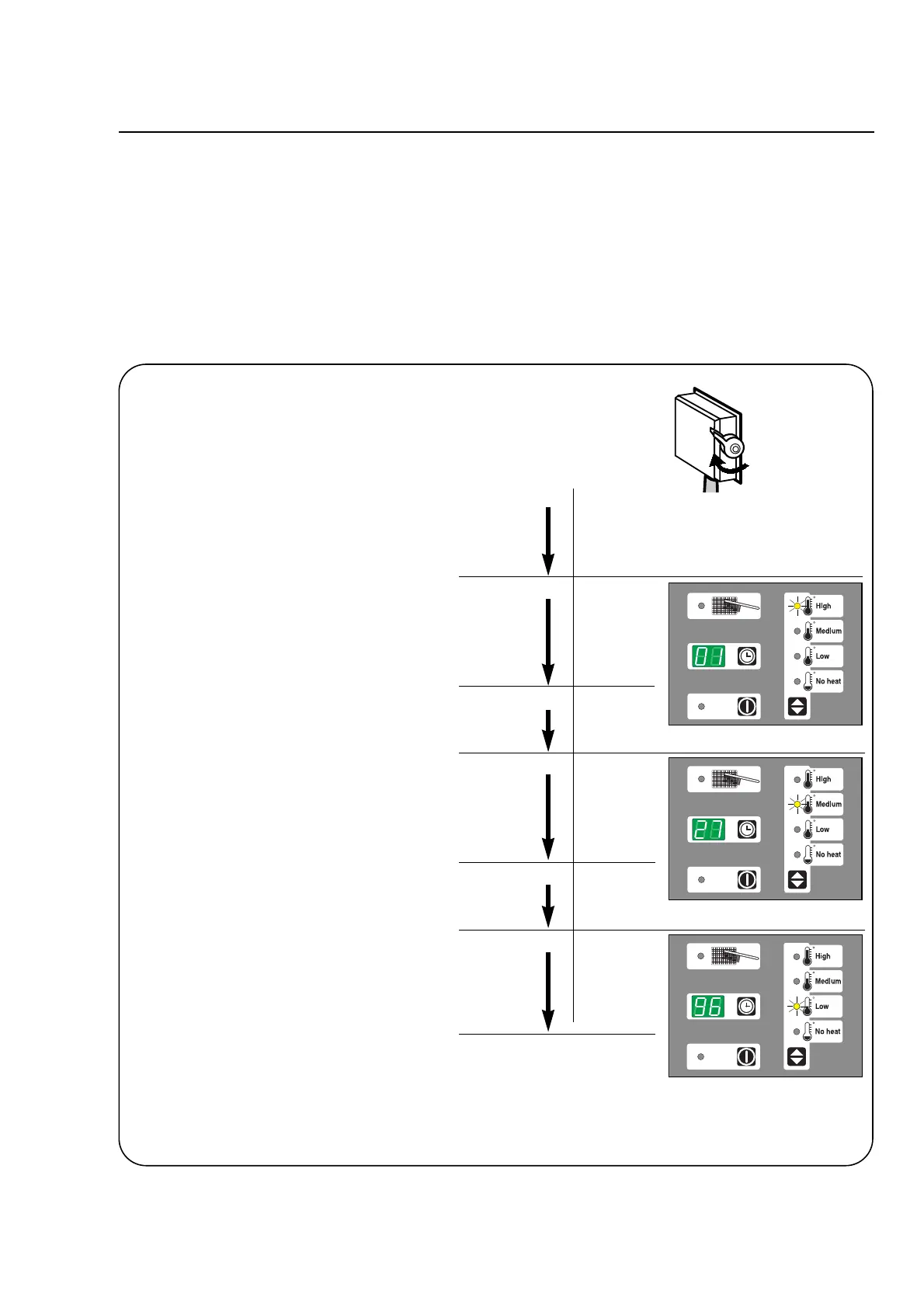
Example of machine having run for 12796 hours:
Switch the machine off and on again.
After approx. 10 seconds
the first two digits of a 6-digit number
01 — — are shown, and at the same time,
lamp A lights up.
After 4 seconds, the lamp and the two digits
are turned off.
After a two-second pause
the next two digits – 27 – show while
lamp B is lit. After 4 seconds, the lamp
and the two digits are turned off.
After a two-second pause
the last two digits, — — 96 are shown,
with lamp C lit, for 4 seconds.
Altogether, the machine has been in
operation for 01-27-96 = 12796 hours.
The machine is now ready for use.










 To Next Page