56
6204
1
6204
2
6204
3
6204
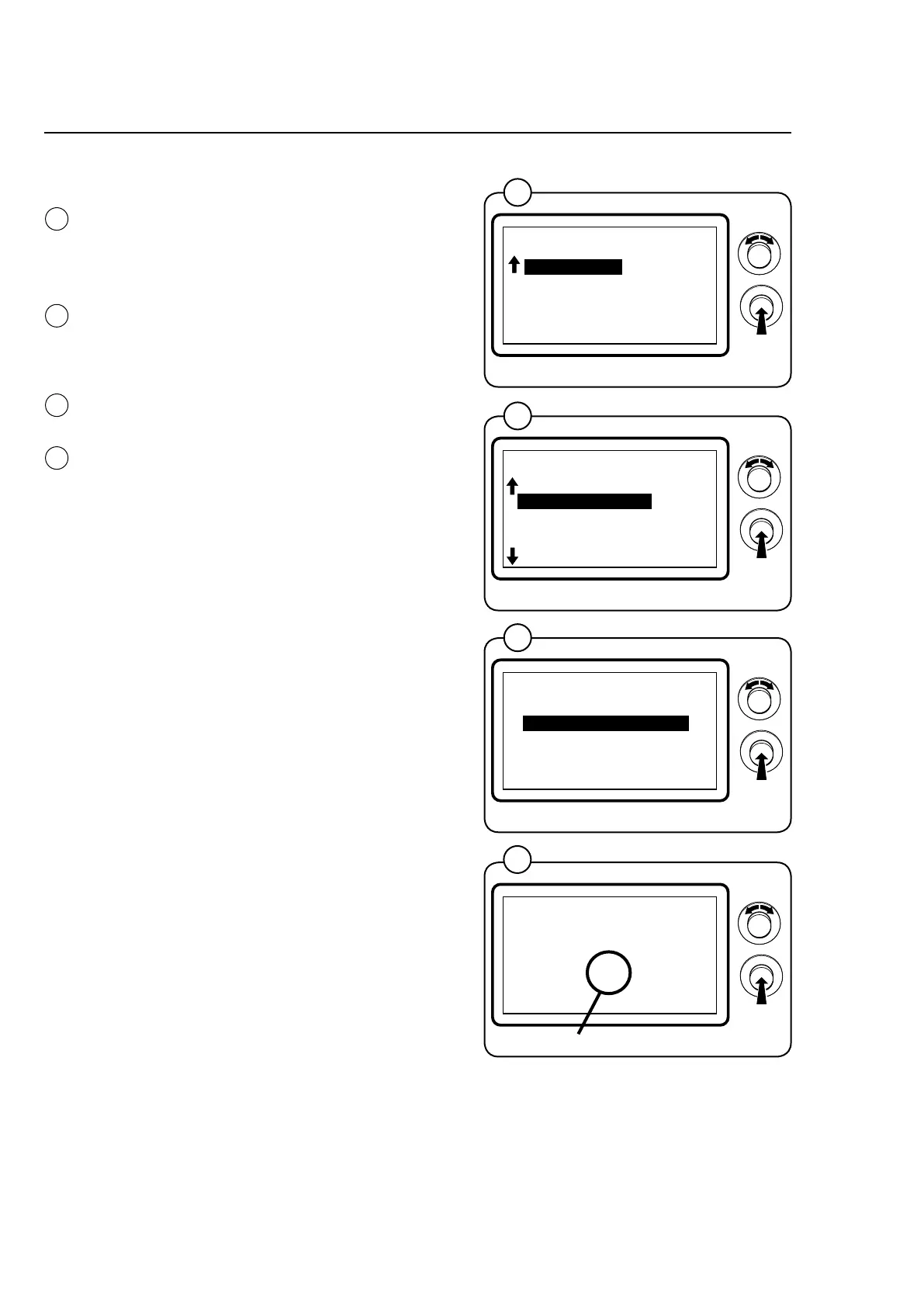
Function options via the service program
Engageservicemode,highlighttheSERVICE
lineinthemainmenuandpresstheknob.
Thedisplaywillnowshowthedifferentsubme-
nus in the service program.
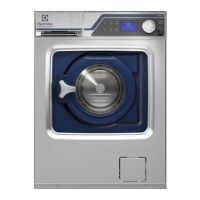
HighlighttheARTICLENUMBERlineandpress
theknob.Youcannowchoosetoviewthear-
ticlenumbersofprogramdevices,I/Omodules,
motorcontrolorDLCUsinstalledinthemachine.
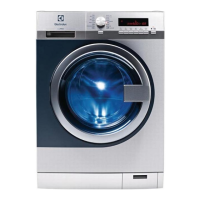
HighlightthePROGRAMDEVICElineandpress
theknob.
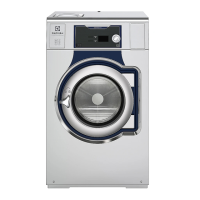
ReadtheprogramarticlenumberunderPARA-
METERSOFTWARE.Thelettersattheendof
thearticlenumberindicatethefunctionoptions
oftheI/Omodulesinthecurrentprogram;for
moreinformation,refertotheGeneralandFun-
ctionOptionssectionsinthedocumentationfor
each I/O module.
1
2
3
4
I/O modules
FunctionoptionsI/O-1andI/O-2
BASE SOFTWARE:
432669701
3.50
PARAMETER SOFTWARE:
432660015 AB
0.0
BACK = PRESS KNOB
MAIN MENU
01.00.00.00
SERVICE
PARAMETER PROGR.
STATISTICS
CONFIG 1
CONFIG 2
ADJUST DISPLAY
*SERVICE*
01.03.00.00
SHOW INPUTS
ARTICLE NUMBER
SHOW DLCU COM.
RESET DLCU
SHOW MCU COM.
RESET MCU
SHOW PART NUMBER
01.03.01.00
PROGRAM UNIT
I/O
MCU
DOOR CONTROL UNIT
EXIT
4



 To Next Page