16
Page
Step 5
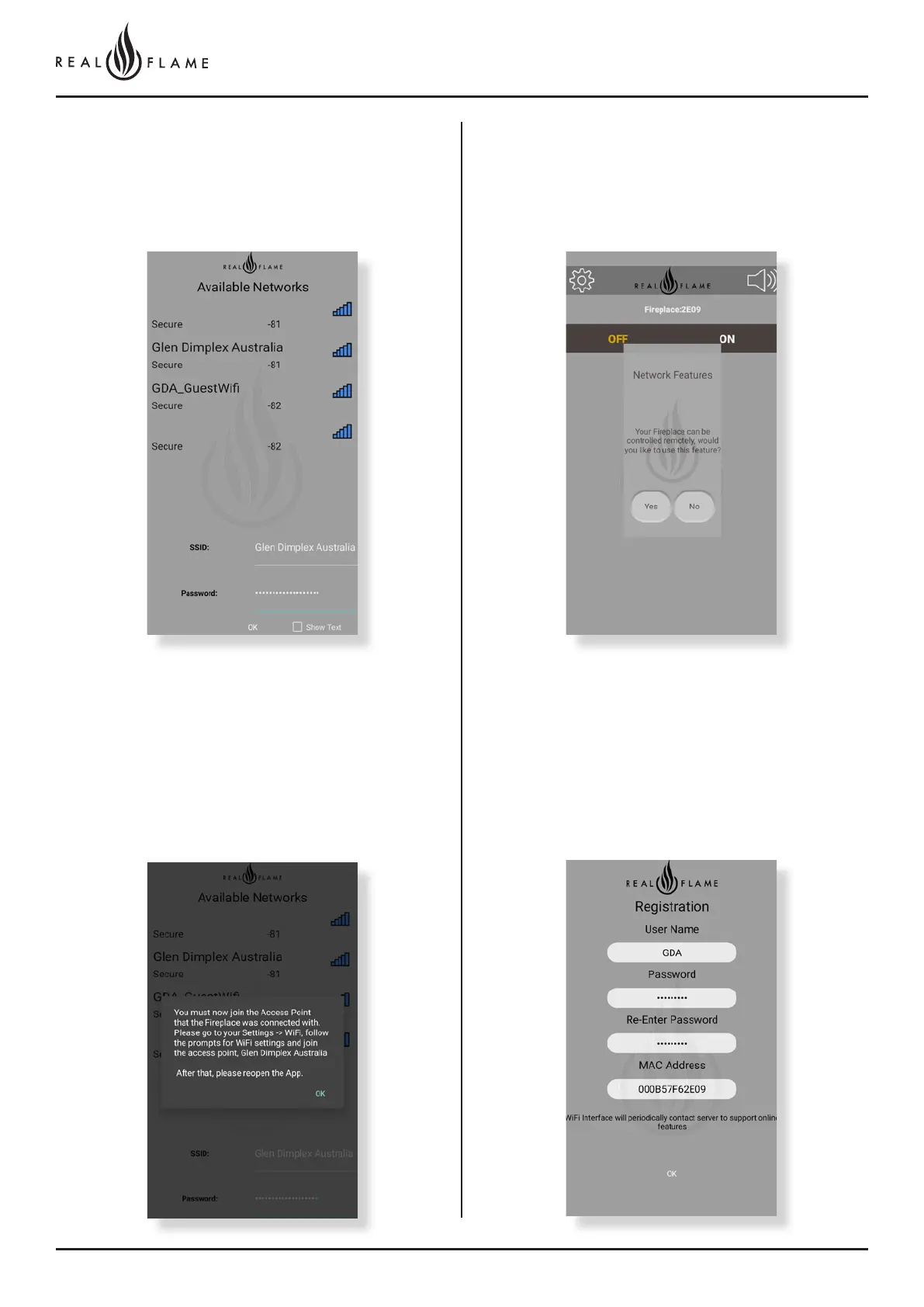
Once you click yes, this screen will appear. You have to now connect
the fireplace to your WiFi network. Select your network and enter the
password. Click ‘OK’ once you have entered your details.
Step 7
Once the fireplace is connected to your personal WiFi network,
close the app and open your WiFi settings. Connect to your personal
WiFi network and re open the app once again.
Step 8
Congratulations your fire place is now connected!
Once you open the app once again, you’ll get a prompt to control
your fireplace remotely. Click yes and proceed.
Step 9
Enter the user name and password of your choice. Please remember
this log in detail as it will help you to access the fireplace remotely.



 To Next Page