15
Page
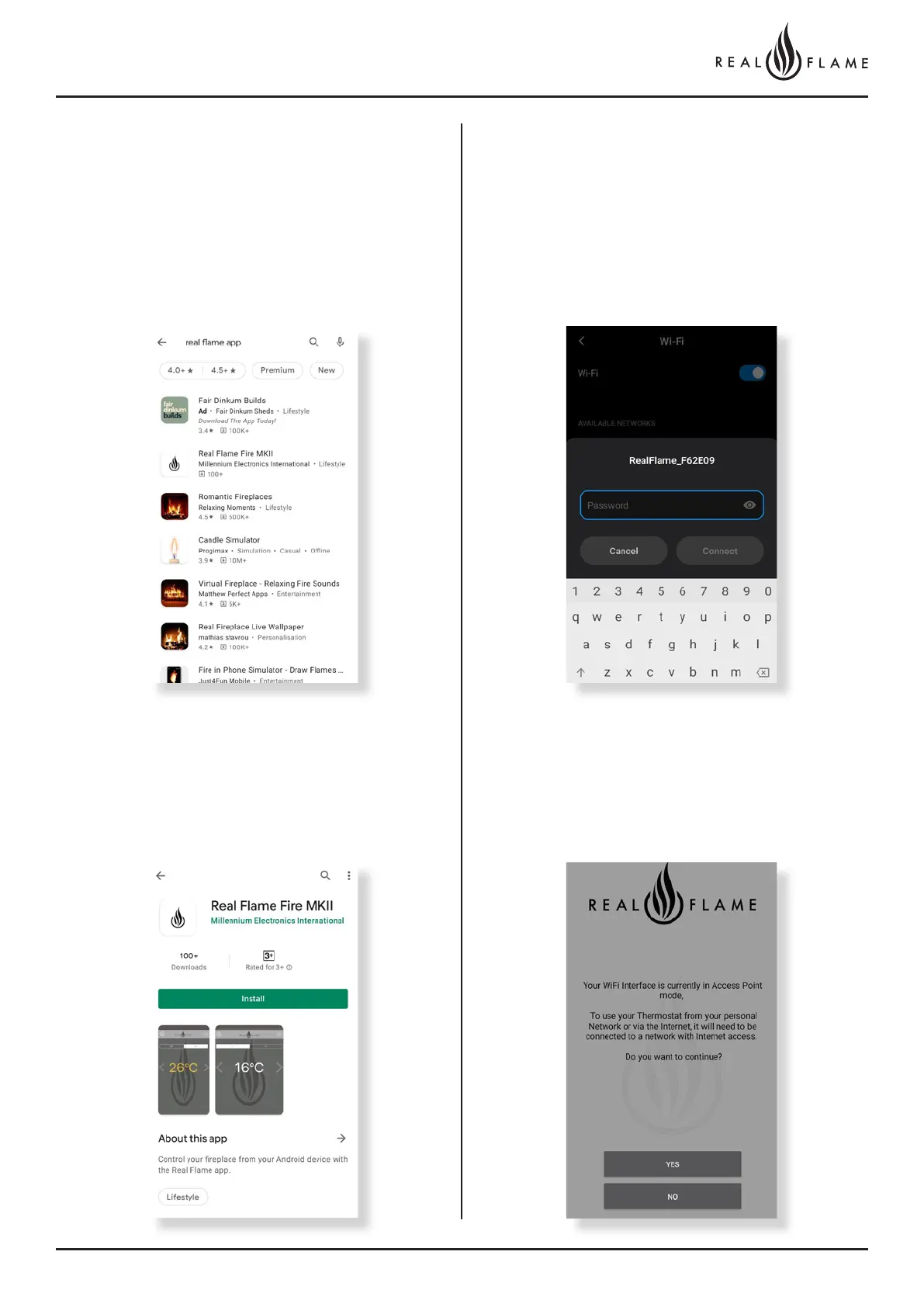
Step 1
Open Google play store on your device and search for the ‘Real
Flame Fire MKII” App.
Step 3
Before you open the Fireplace app, open your WiFi setting and
select the fireplace to connect to it as shown below.
The password to connect is “realflame”.
Step 4
Now open the app and select yes when the screen prompts you to
connect the fireplace to your personal network as per below.
Step 2
Download the App on your mobile device and close play store.
ANDROID DEVICE INSTRUCTIONS



 To Next Page