12
CUSTOMIZING TV SETTINGS
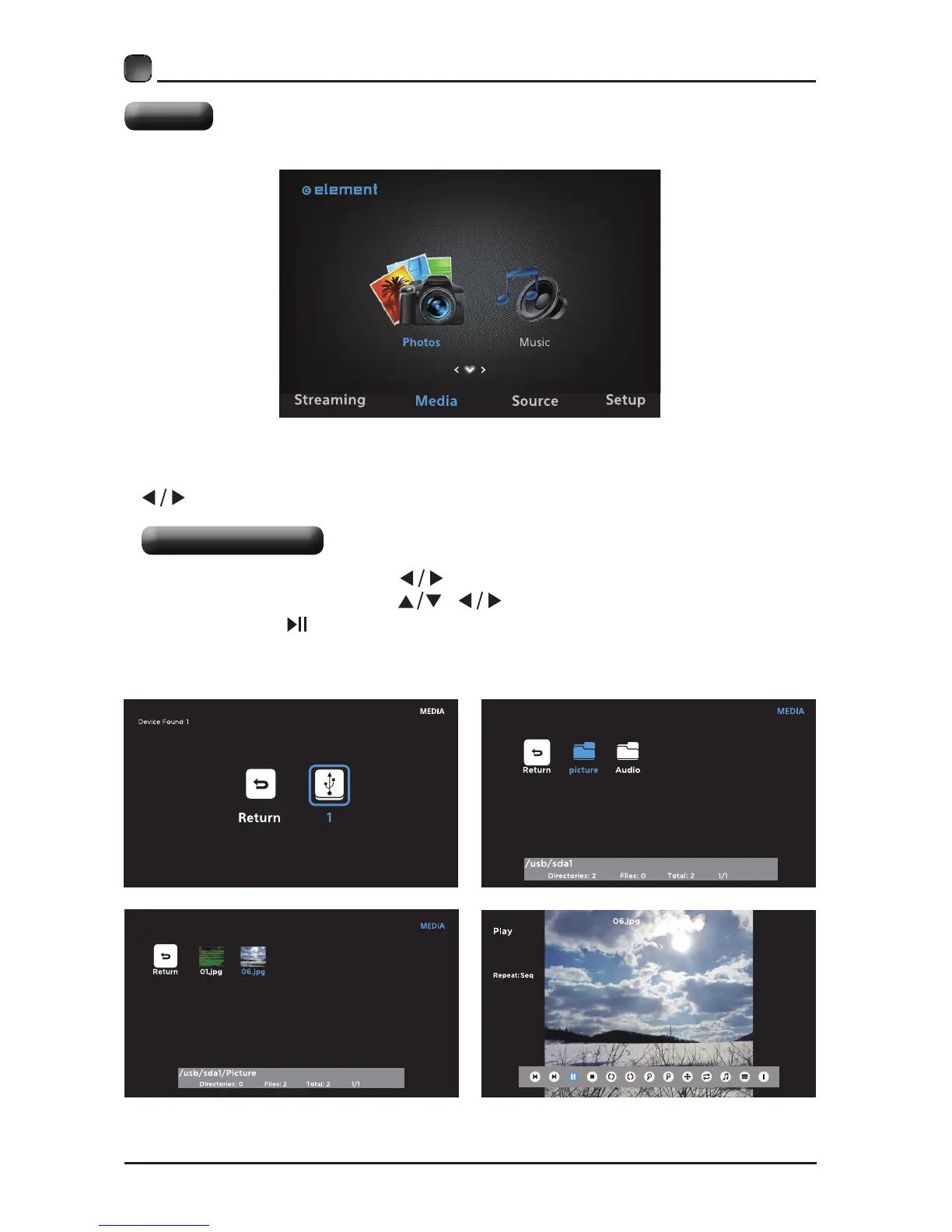
Viewing Photos
• After entering Media, press
buttons to select Photos and then select the
disk type to enter. Then use / buttons to navigate in the picture folder
and then press button enter.
Note: File format supported: JPEG.
Media
NOTE:Portable storage devices( USB disk or Hard disk) should be inserted.
• Press the MENU button on the main unit or on the remote control and then press
buttons to select the Media, and then press OK button to enter.


 To Next Page