16
CUSTOMIZING TV SETTINGS
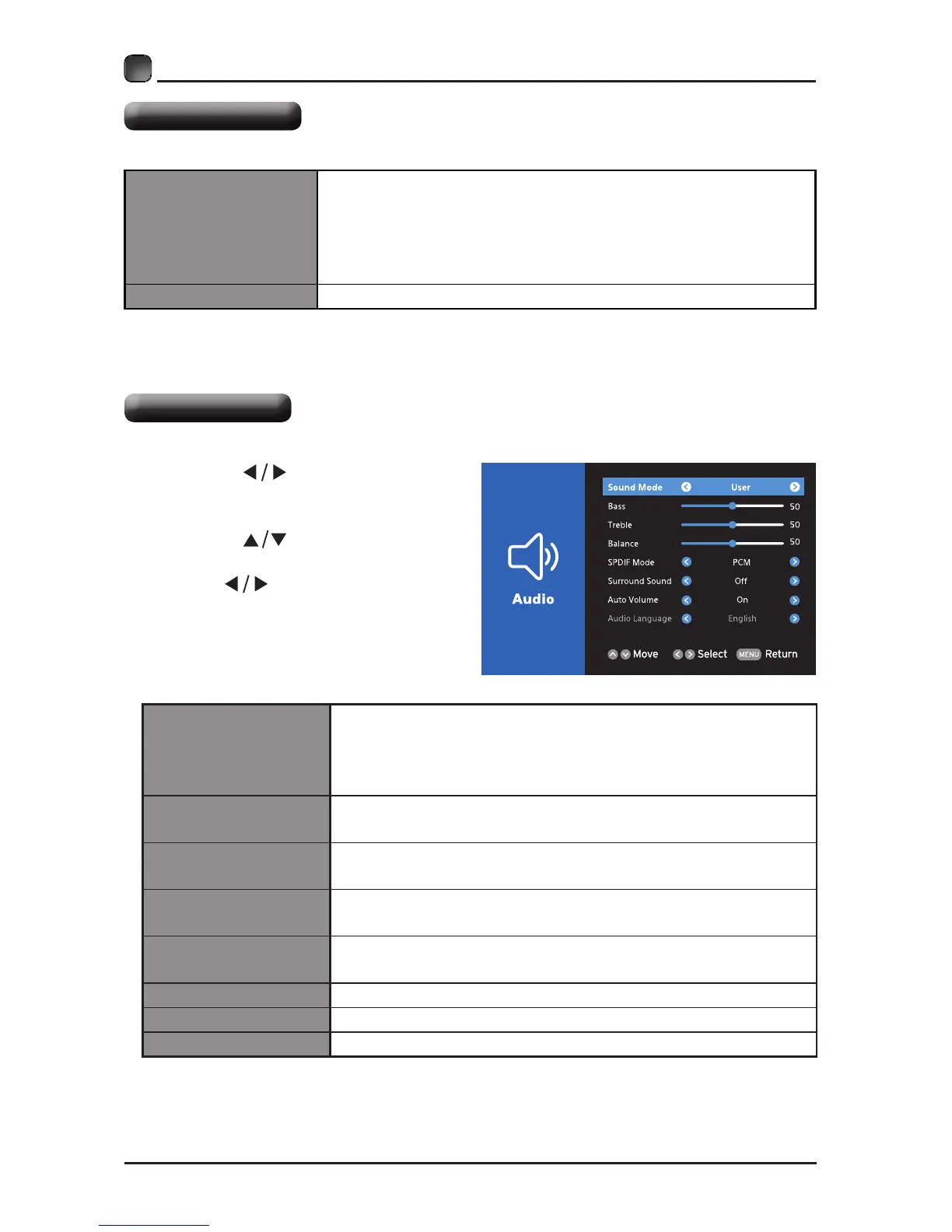
Audio settings
• Press the
buttons to select
Audio menu and then press the OK
button to enter.
• Press the buttons to select
the following audio options and then
press the
buttons to adjust each
option’s setting.
Sound Mode
Allow the selection of an audio-enhancement technique:
Standard/Music/Movie/User
Alternative: you may press the S.MODE button to
select the sound mode directly.
Bass
Control the relative intensity of lower-pitched sounds.
(For User mode)
Treble
Control the relative intensity of higher-pitched sounds.
(For User mode)
Balance
Adjust the relative volume of the speaker in a multiple
speaker system.
SPDIF Mode
Select the digital audio output mode between RAW/
PCM.
Surround Sound Provide an enhanced listening experience.
Auto Volume Volume levels are automatically controlled.
Audio Language
Select audio language among: English, French, Spanish
System settings
Other Setting
Set other settings:
HDMI EDID: select the HDMI version: HDMI 2.0/HDMI 1.4.
INlink: set the following settings: INlink Control, Device
Power Off, TV Power On, Audio Receiver, INlink Device
List, Root Menu.
Restore Default Restore the TV to factory default settings.



 To Next Page