21
CUSTOMIZING TV SETTINGS
Channel Settings
Support
• Press the
buttons to select
Channel menu.
• Press buttons to select the
following channel options and then
press the
buttons to adjust each
option’s setting.
Air/Cable
Select antenna between Air and Cable.
Auto Scan
First, select your cable system from Auto/STD/IRC/HRC.
Next, select the Auto Scan feature to scan your available
cable channels. It will perform the auto scan if the Air
antenna is selected.
Favorite Set the selected channel as favorite channels.
Show/Hide Show/Hide the selected channel.
Channel Number Display the current channel number.
Channel Label Display the current channel label.
Signal Information
Display the information of current signal.
• Press buttons to select Support
menu and then press OK button to
view the built-in user manual.
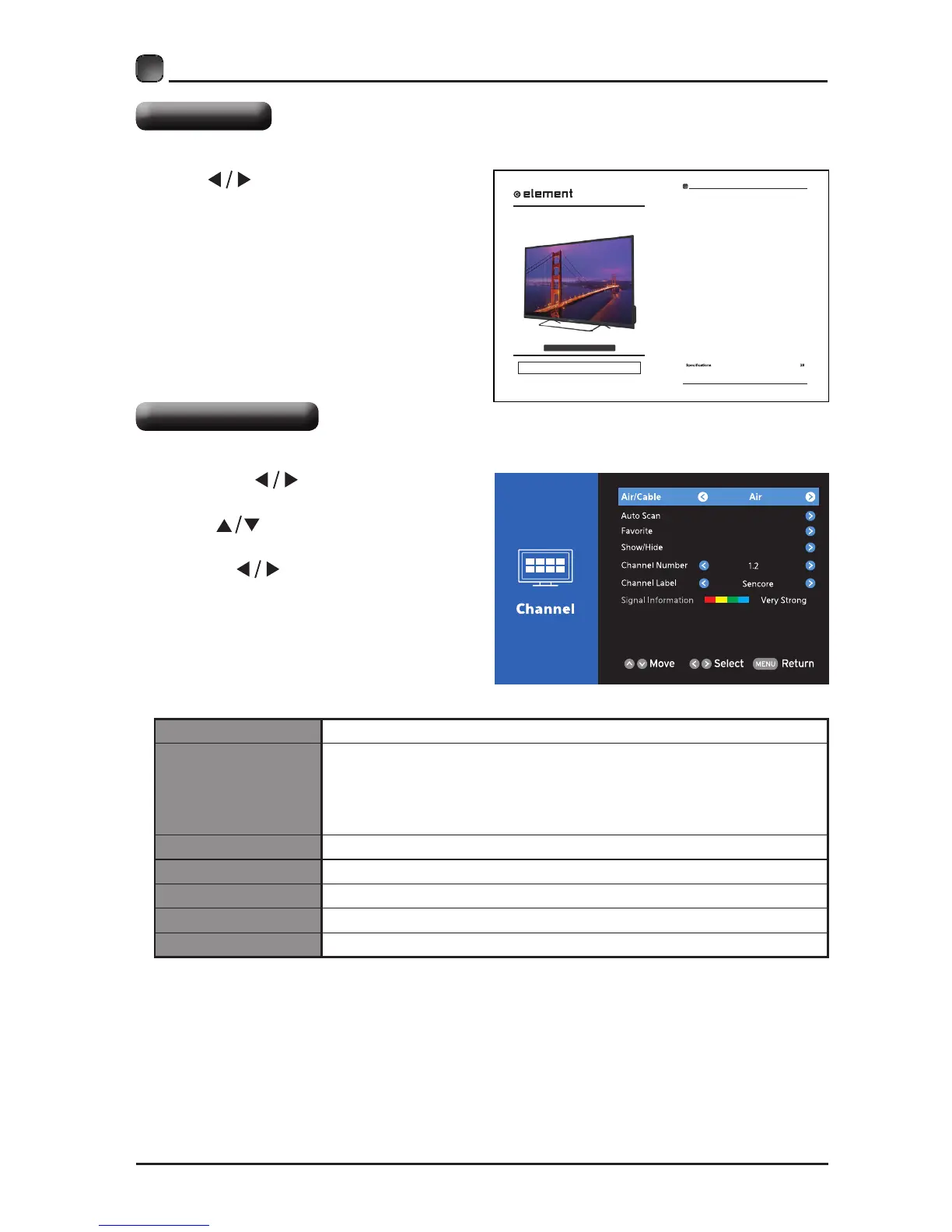
E4SFT551
INSTRUCTION MANUAL
Please read all the instructions carefully before using this TV,
and keep the manual for future reference.
55" UHD Digital LED TV
1
CONTENTS
CONTENTS
Important Safety Instructions 2
Additional Safety Information 3
Preparations 4
What's Included
Front View
Rear View
Wall Mounting
Remote Control
Connecting External Devices 8
Customizing TV Settings 9
Turning On/Off Your TV
Setup Wizard
Channel Selection
Volume Adjustment
Streaming
Media
Viewing Photos
Listening To Music
Selecting The Input Source
System
System Settings
Audio Settings
Network Settings
Picture Settings
Lock Settings
Support
Channel Settings
Parental Control 22
Troubleshooting 24
FCC Notes 27
OTT APP Service 29


 To Next Page