RW60 User Manual
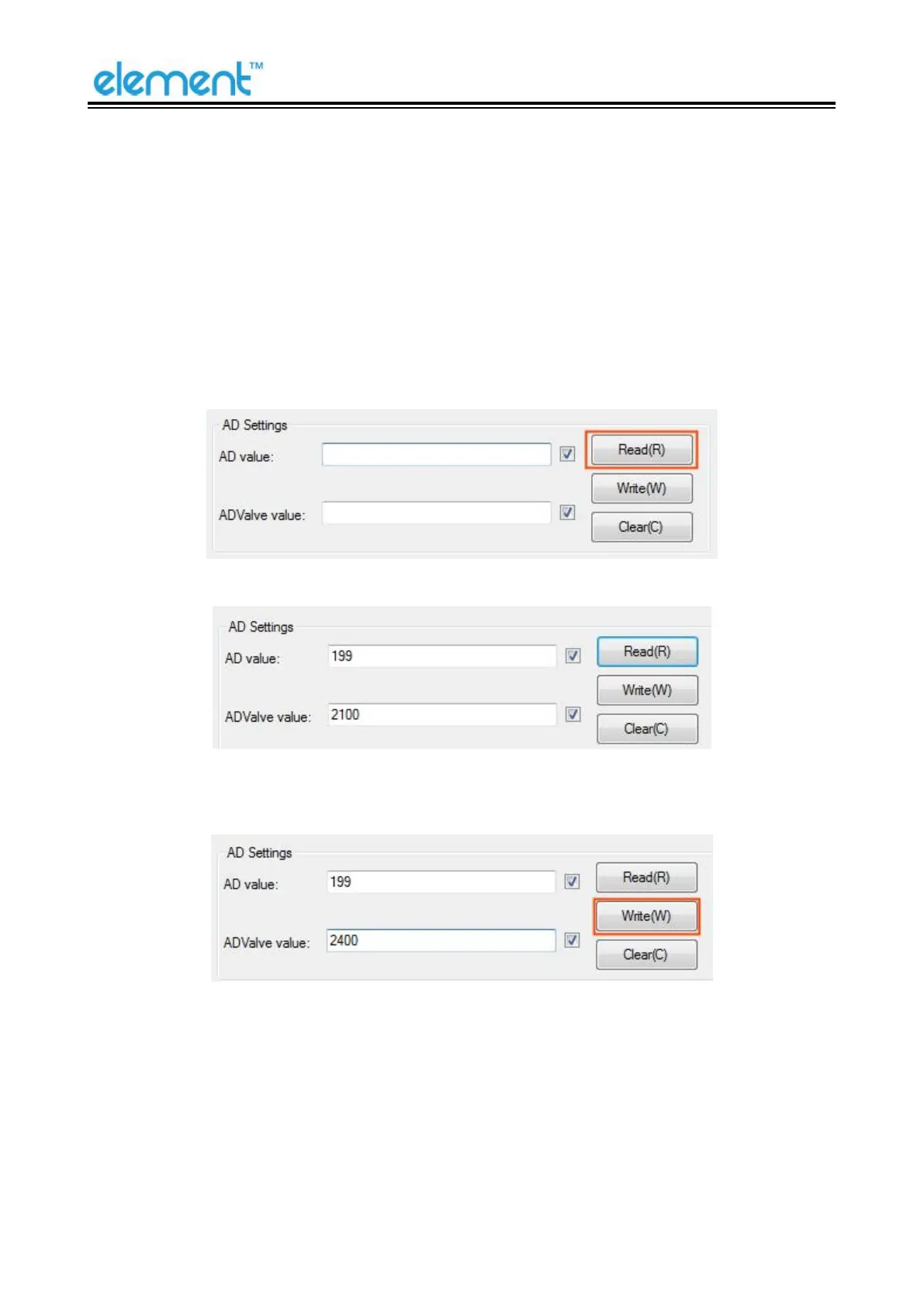
● AD Settings
We recommend general thermal paper. If user uses special thermal paper, and the status of the
paper can’t be detected by the printer, please set as below:
1) Load the paper roll into the printer.
2) Turn on the printer and connect it to a master device.
3) Open the Utility Tool of the printer on the master device, choose “Advanced Setting” ->
“Function Setting” -> “AD Settings” -> Click “Read” to check the AD value.
4) For example, the “ADValue value” is “2100”.
5) Add “300” to the original “ADValue value 2100”, which is “2400”, type in “2400” and click
“Write”, then the setting is effected.
6) So the status of the user’s thermal paper can be detected by the printer,



 To Next Page