RW973 MkⅡ User Manual
3
)
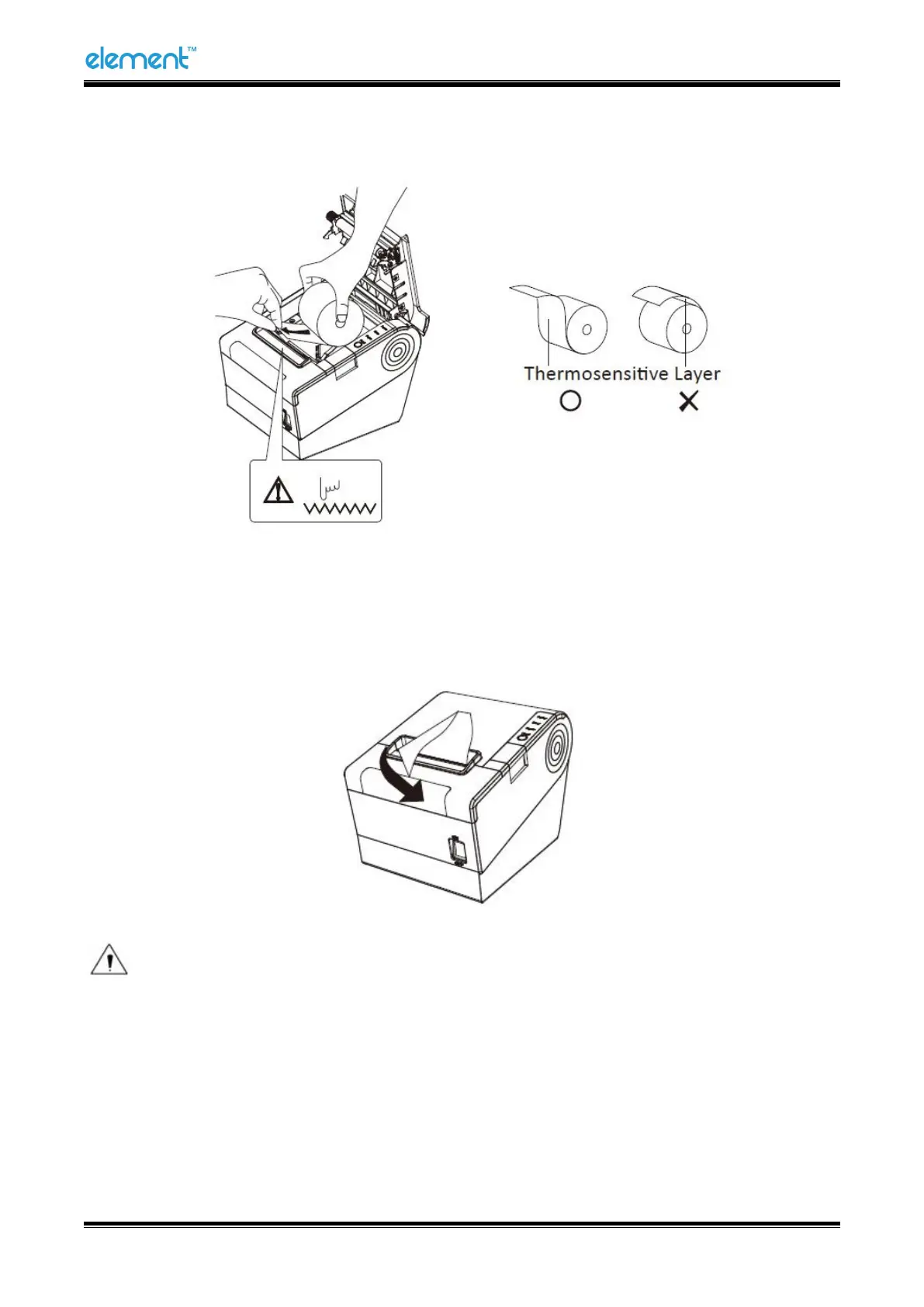
In the correct direction of the paper roll, load the paper roll.
4
)
Pull out some paper, and close the printer cover.
5)Tear the extra paper in the direction of printer.
Notes:
► Adjust the paper guide according to the paper size.
►
Make sure the paper roll inside is at tight status, or it will issue paper or other obstacle.



 To Next Page