48
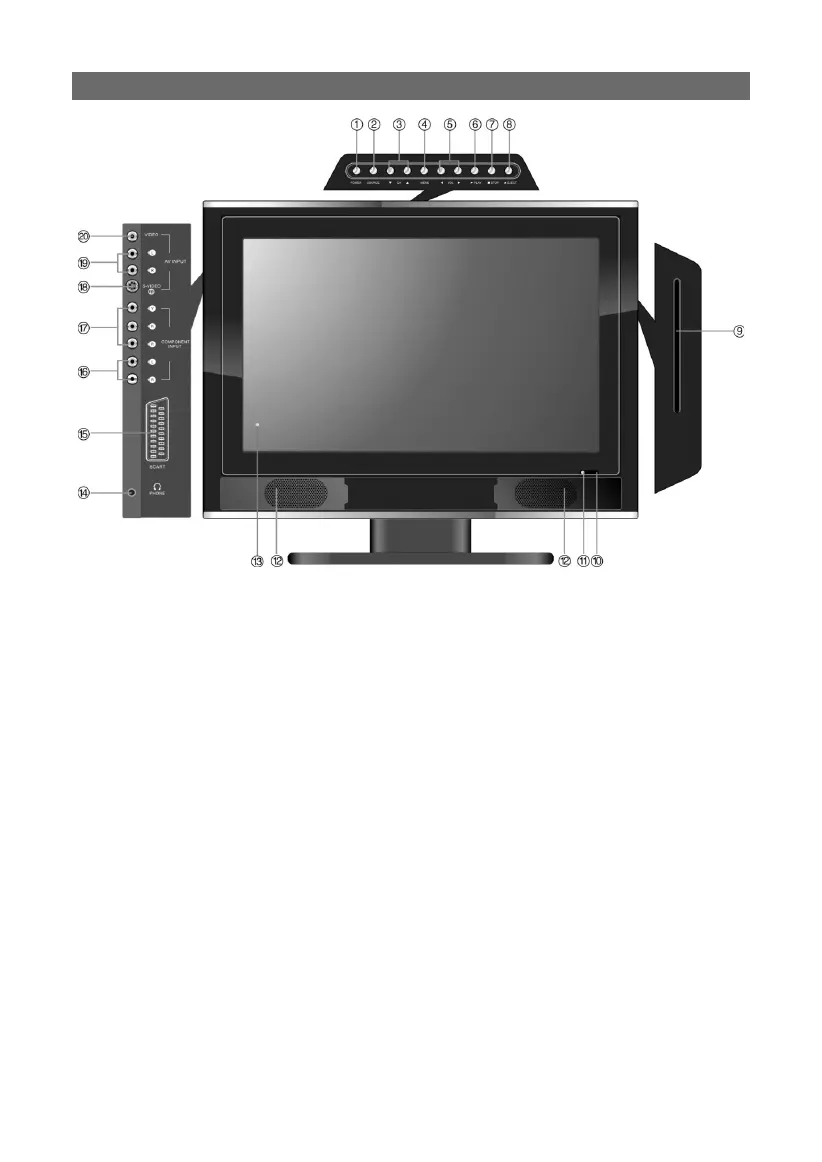
FRONT & SIDE PANEL CONTROL LAYOUT
1. Power button:
Press to enter or exit standby mode.
2. SOURCE button:
Press to select the following modes: TV, SCART, COMPOSITE, S-VIDEO, COMPONENT,
VGA or DVD. The button can also be used as the “ENTER” button.
3. CH ▲/▼ button:
When in TV mode, press to select channels, up or down.
In setup menu, the same function as “▲/▼” direction buttons.
4. MENU button:
Press to enter or exit the setup menu.
5. VOL ◄/► button:
When in TV mode, press to decrease or increase the volume.
In setup menu, the same function as “◄/►” direction buttons.



 To Next Page